

Urbantap — Map-Based Property Discovery
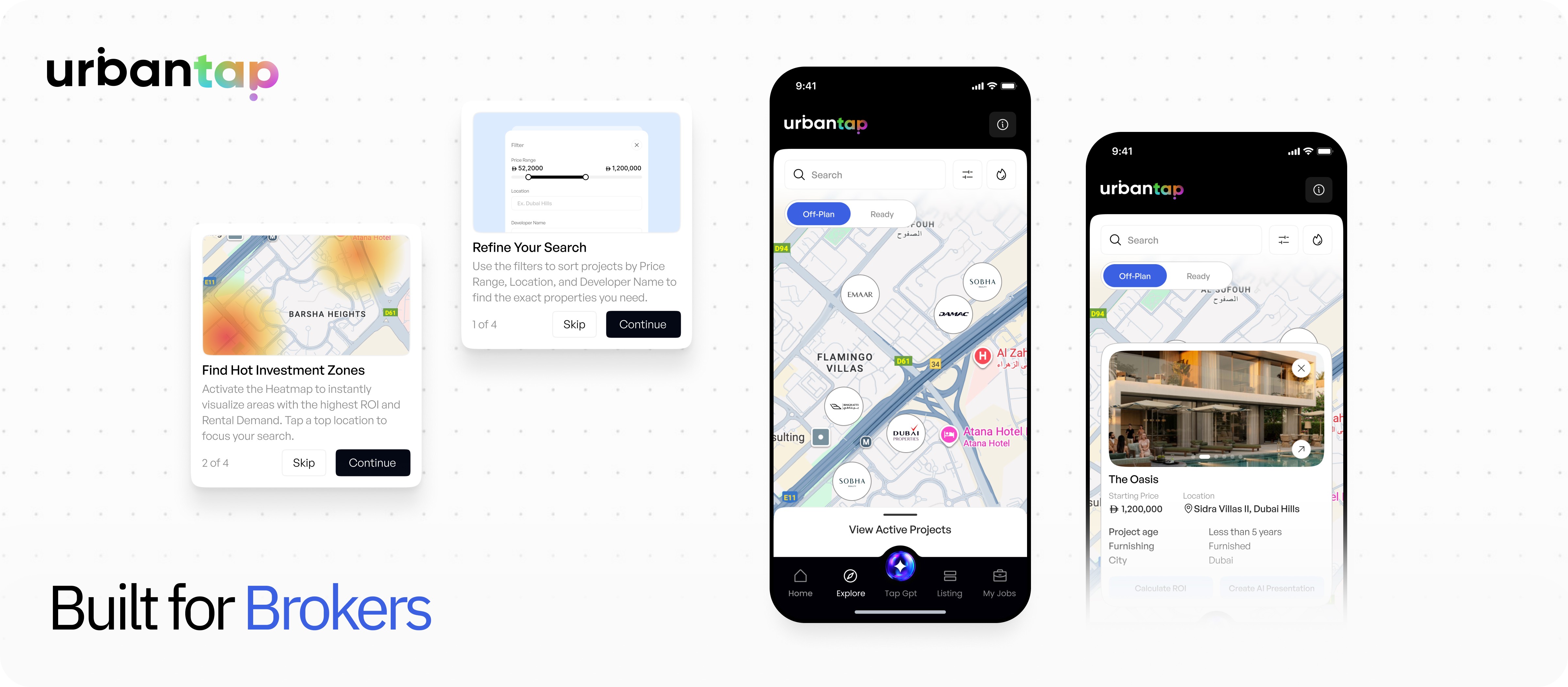
A spatial map based browsing experience that helps real-estate brokers discover, compare, and evaluate projects visually and faster.
Timeline
Oct 2025
Key Areas
UX Strategy · Research · User Problem Identification · UI Design · Spatial Management
People Involved
2 Product Designers (Me)
1 Project Manager
4 Developers
(Frontend + Backend)
Brokers navigate one of the most information-dense markets in the world. Every day, they search through hundreds of real-estate projects spread across Dubai—off-plan launches, ready communities, investment clusters, and micro-localities that change value block by block.
Yet the tools they relied on were built like spreadsheets: rigid lists, long scrolling, scattered filters, and no sense of geography.
To solve this, I redesigned property discovery around something brokers intuitively understand: a map.
+22%
Increase in Project Discovery
+32%
Drop in Filter Drop-offs
+24%
Faster ROI Checks
Hover over a chapter and give it a click — it’ll politely escort you like a very enthusiastic tour guide.
Next Case Study
Ruba Microbrokers - Gamification Feature
Why introduce a map-based property discovery feature?
The Dubai property market moves with extraordinary speed. A new off-plan launch can go live at 11 AM and sell out half its inventory by 3 PM. Brokers must navigate constantly shifting neighbourhoods, developer clusters, ROI pockets, and pricing trends—all while responding quickly to clients.
It was like searching for a building on Google Maps using only text.
Brokers often told us: “I know the city. I just need the app to show me the city.”
That became the central idea: turn property discovery into spatial exploration.
Give brokers a map that thinks, updates, filters, clusters, and calculates just as fast as they do.
Map-based flow for brokers
Step 01
Map Opens With Live Project Pins
Brokers land on a map showing all nearby projects. Pins adjust as the map moves, giving instant spatial awareness.
Step 02
Search for Areas or Projects
Typing a location or project recenters the map instantly, helping brokers jump directly to the region they care about.
Step 03
Apply
Filters
A clean filter modal lets brokers refine results by price, developer, amenities, and property type. The map updates immediately.
Step 04
Clustered Pins Expand
on Zoom
Dense areas group into clusters. Zooming in smoothly breaks them apart, keeping the map readable and organized.
Step 08
Info Button Shows Quick Coach Marks
A guided overlay explains map controls, pin behavior, and filters — reducing onboarding friction.
Step 07
Turn on ROI Heat
Map Layer
A heat map overlays ROI performance across neighborhoods, helping brokers spot high-return zones instantly.
Step 06
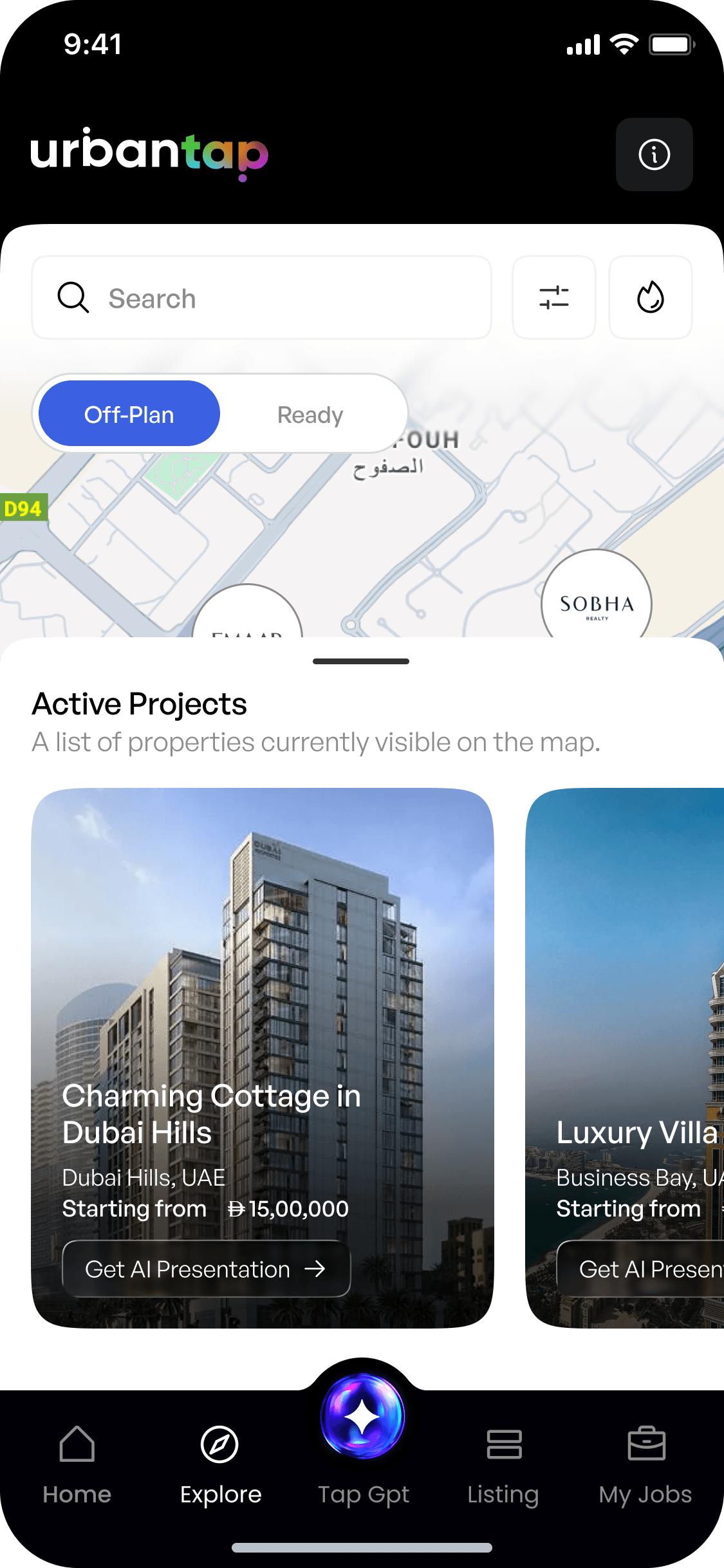
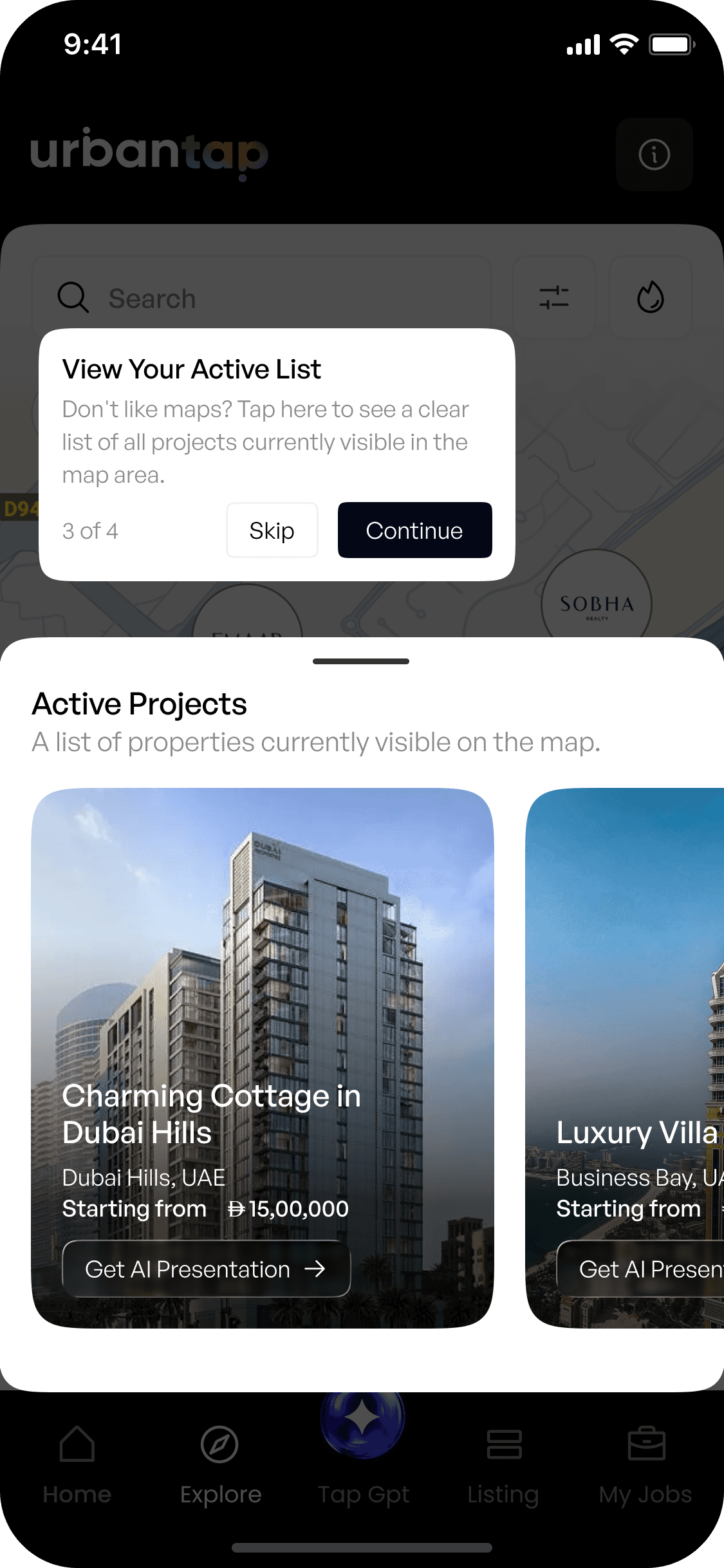
Use Horizontal “Active Projects” List
A scrollable list mirrors the projects shown on the map, supporting brokers who prefer list-first browsing.
Step 05
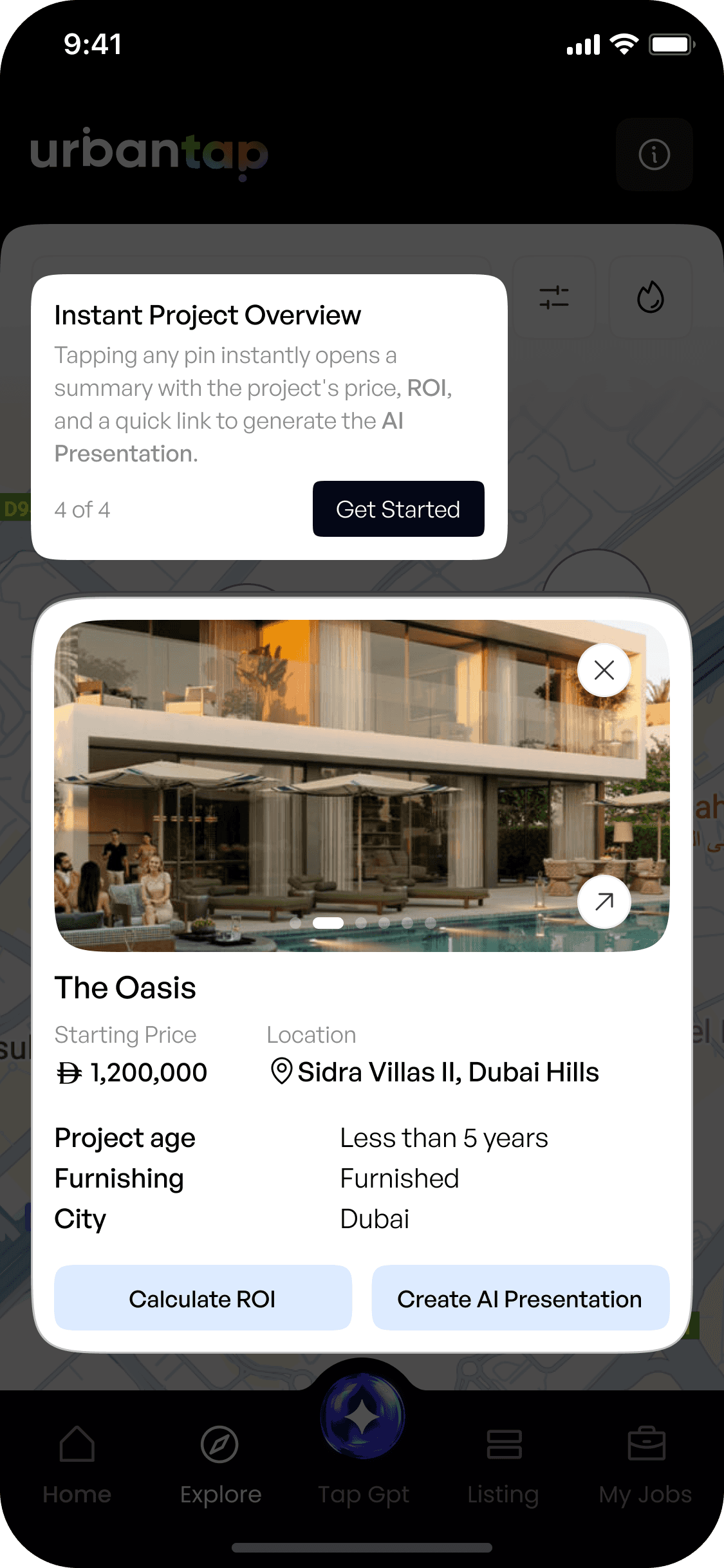
Tap a Pin to View Mini Project Card
A bottom sheet reveals essential info — price, location, furnishing — with quick actions like Calculate ROI or Create AI Presentation.
Background – Understanding the Issues Faced
Who are the Users?
Real-estate brokers working in fast-paced sales environments.
Their goals -
🚩
Find relevant projects quickly
🚩
Access tools with minimal effort
🚩
Understand neighbourhoods
🚩
Filter projects intelligently
The Problem
😢
Endless lists of projects to be scrolled vertically
😢
Slow filtering for different properties present
😢
Scattered tools (ROI Calculator, AI Presentation)
😢
A steep learning curve for new brokers and exploring
This needed to be changed to
How do we let brokers see the right properties, in the right places, with the right context—instantly?
We wanted to change that - to make a unified centralised Lead Management System.
🎯 Objectives
The goal was to build a map-based feature easy to navigate for the brokers:
Dubai has tightly packed neighbourhoods—pins had to be readable and cluster intelligently.
How do you show properties, ROI, filters, and scrollers without overwhelming the map?
Price, amenities, developers, location, project type—everything needed to sit in one place.
Some brokers prefer maps; others prefer lists. Both needed to work seamlessly together.
Map browsing is new for many brokers; onboarding had to be effortless.
Process
01
Identify Core Problems
Mapped how brokers currently search for properties and documented gaps in discovery, comparison, and ROI clarity.
02
Define Experience Goals
Set direction: make browsing visual, comparisons faster, filters simpler, and ROI more immediate.
03
Sketch & Test Key Interactions
Explored low-fi concepts for pin clustering, filters, heat maps, and mini cards to validate the structural foundation.
04
Build High-Fidelity Prototypes
Refined animations, clustering behaviour, bottom sheets, and filter modals to shape the final interaction model.
05
Usability Testing With Brokers
Checked learnability, ease of navigation, map clarity, and the usefulness of quick actions like ROI & AI Presentation.
06
Final Refinement & Handoff
Polished visuals, improved guidance through coach marks, documented behaviors, and delivered fully spec’d flows for development.
1 – Interactive Property Pins
Problems
Brokers struggled to understand where projects were located. With only list-based browsing, they had no sense of density, or proximity. High-density areas became overwhelming without a visual system to organise them.
Solutions
Introduced dynamic project pins that update as the map moves :
Revealing developer names and project counts only when relevant.
Cluster logic groups dense zones, making the map clean, readable, and easy to navigate.
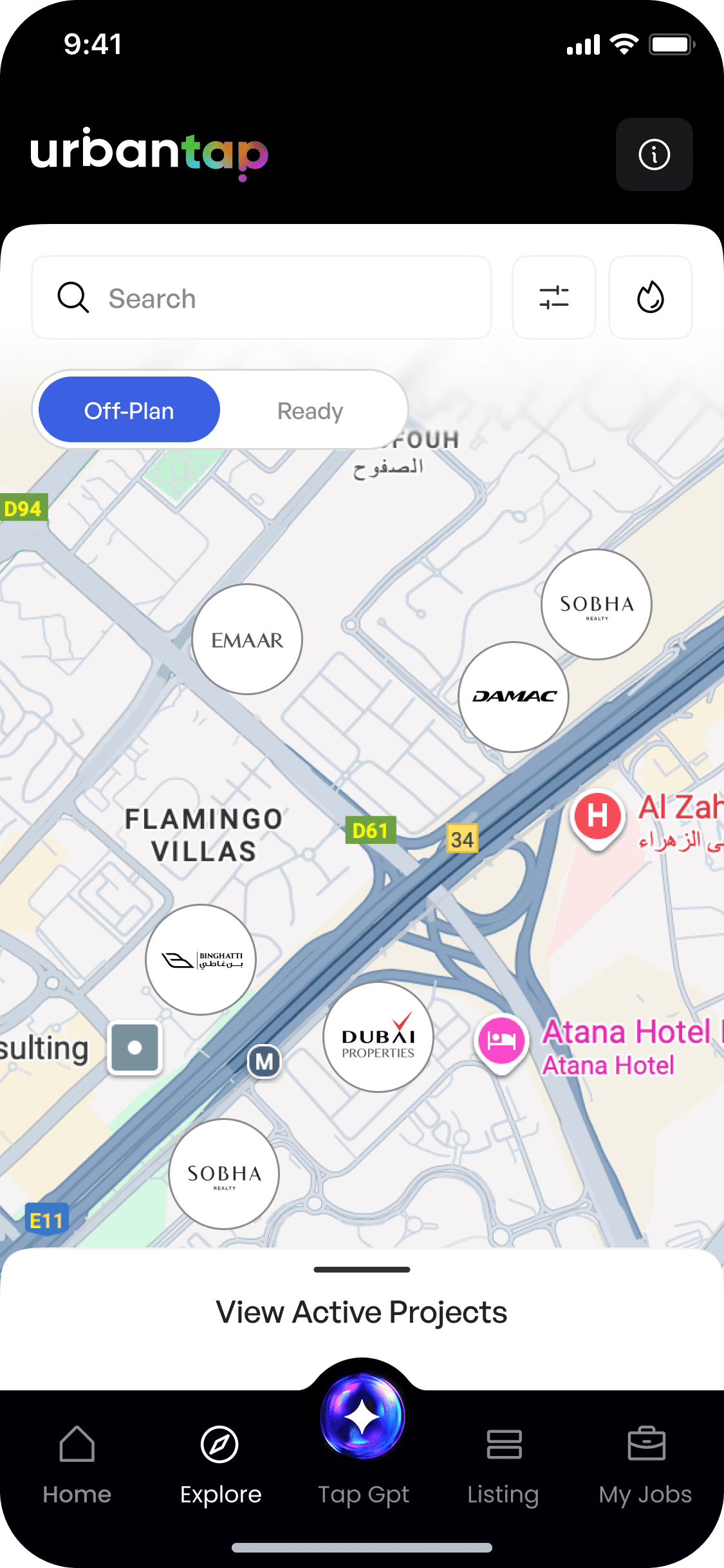
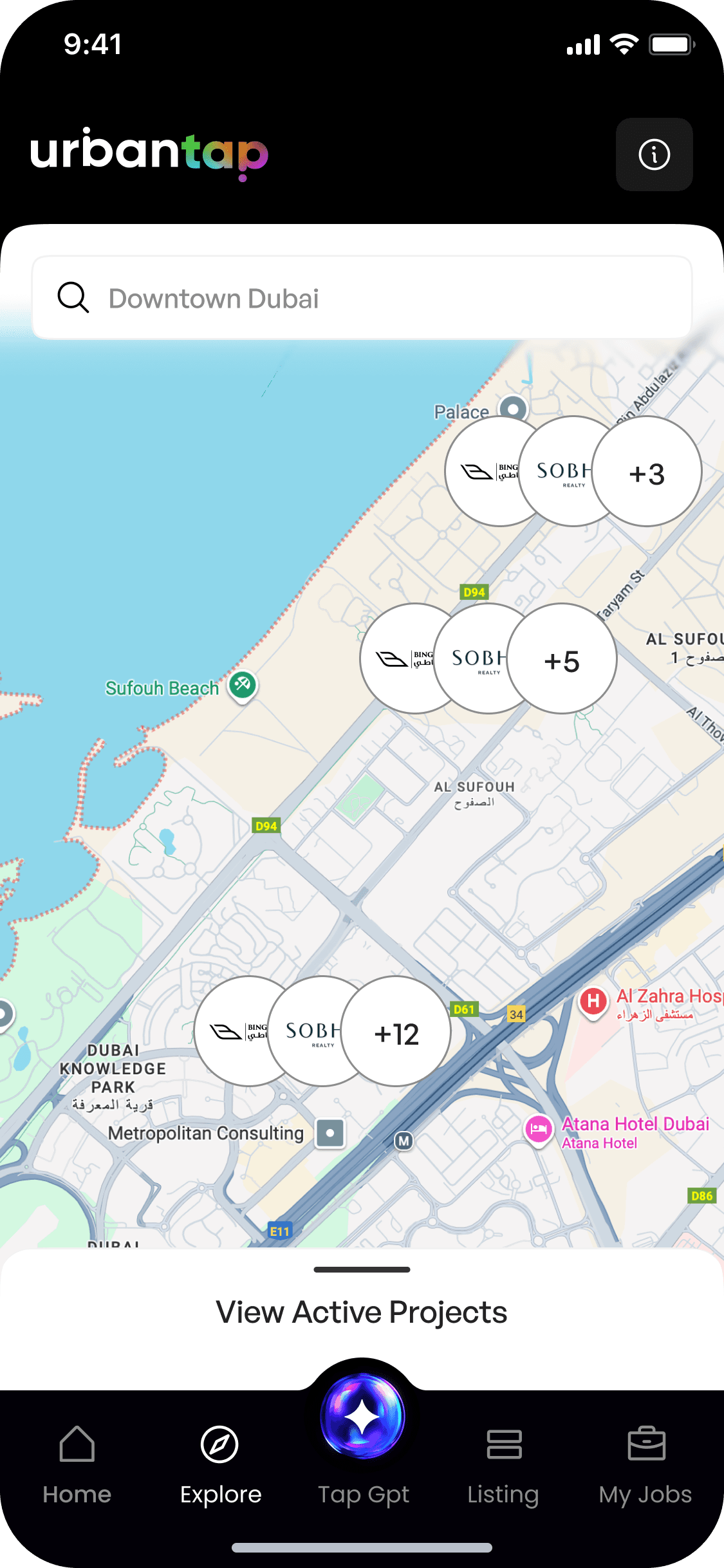
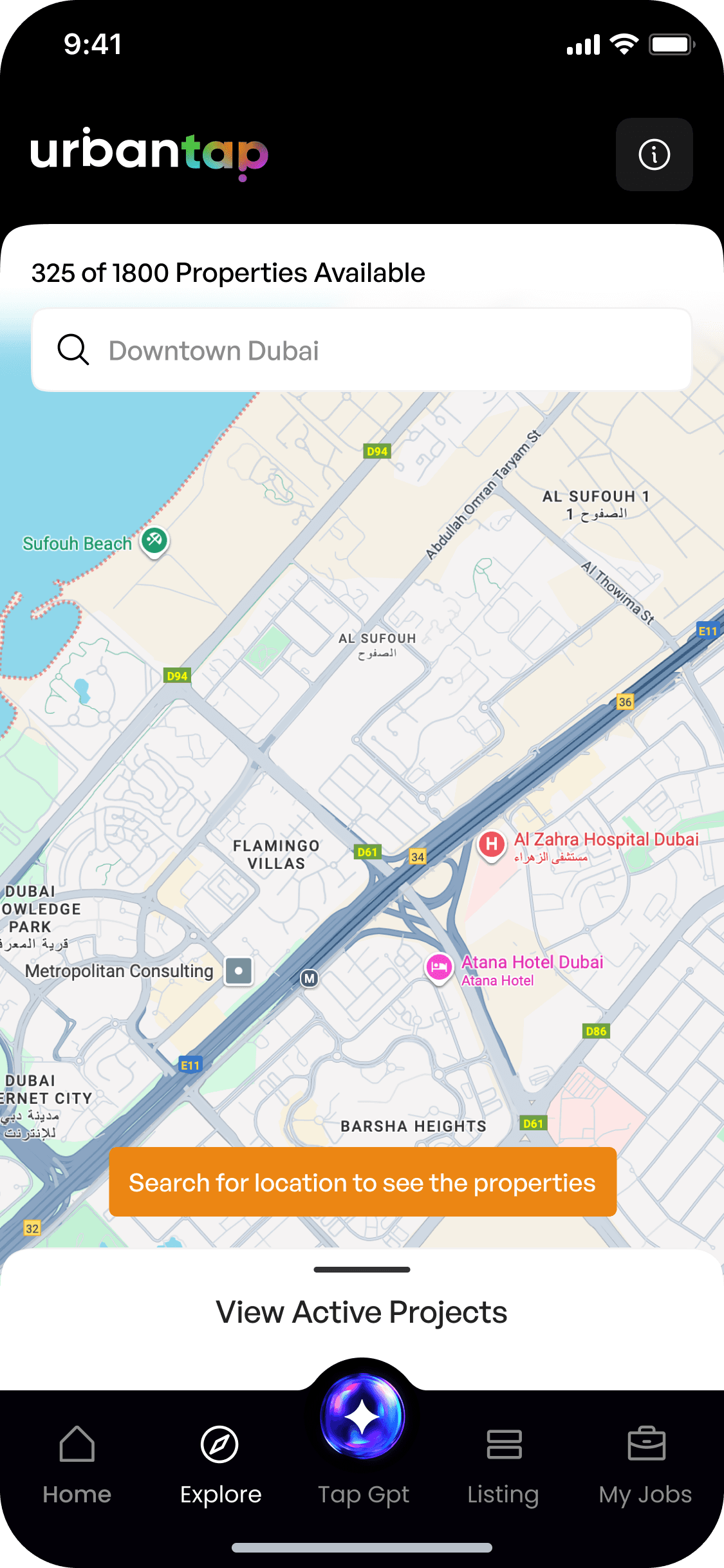
Info text that guides users back to an area displaying active projects when they scroll away from the map’s coverage.
+22%
Increase in Project Views
+32%
Faster project identification
2 - Mini Project Information Card
Problems
Brokers had to open full project pages just to check basic details, slowing down comparisons and adding unnecessary steps during client conversations.
Solutions
A one tap bottom sheet showing important details at a single glance
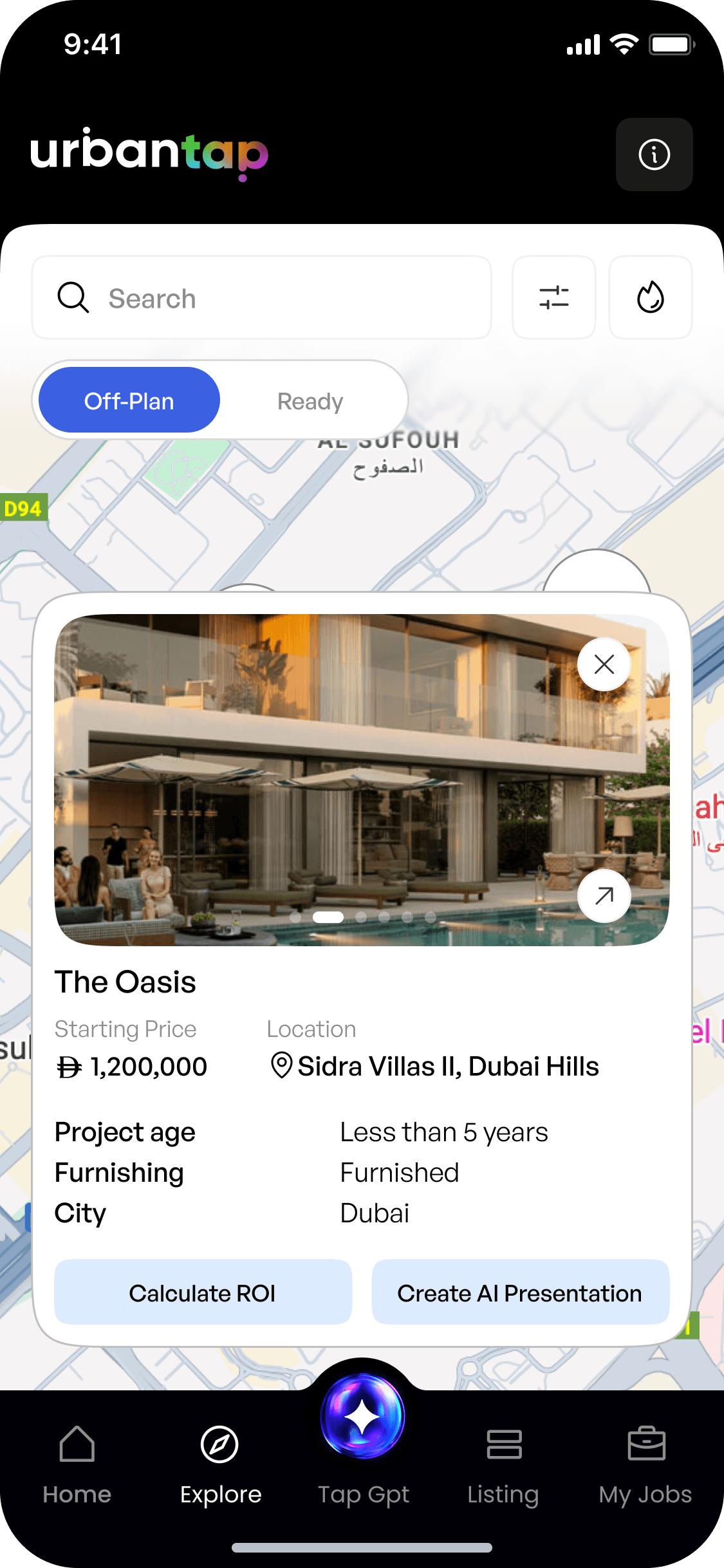
Quick details to Project Name, Starting Price, Location.
Secondary Details displayed like Project Age, Furnished Status and City.

The Oasis
Starting Price
1,200,000
Location
Sidra Villas II, Dubai Hills
Project age
Less than 5 years
Furnishing
Furnished
City
Dubai
Calculate ROI
Create AI Presentation
Calculate ROI and Generate AI Presentations instantly without getting into details.
+13%
Increase in Project Interaction
1.3x
AI Presentations Generated
3 – “View Active Projects” Horizontal Scroller
Problems
Not all brokers are comfortable with map-first interfaces. Some prefer list browsing and felt lost when forced into spatial navigation.
Solutions
A horizontal scroller shows all projects visible on the map, synced in real time. This supports list-first users without breaking the map flow, making discovery inclusive for all browsing styles.
Charming Cottage in
Dubai Hills
Dubai Hills, UAE
Starting from
15,00,000
Get AI Presentation
Luxury Villa in Business Bay
Business Bay, UAE
Starting from
35,00,000
Get AI Presentation
Charming Cottage in
Dubai Hills
Dubai Hills, UAE
Starting from
15,00,000
Get AI Presentation

Modern House in Palm Jumeriah
Palm Jumeriah, UAE
Staring from
25,00,000
Get AI Presentation
Brokers can horizontally scroll through a list of projects, fully synchronised with all applied filters.
-44%
Reduction in Fraudulent / Unverified Visits
+34%
Faster Visit Completion Rates
4 - ROI Heat Map Layer
Problems
Brokers needed faster ways to identify profitable areas, but previously had to manually compare ROI across multiple screens—slow, error-prone, and time-consuming.
Solutions
Heat Map to represent high ROI Areas which is also a locality based filter

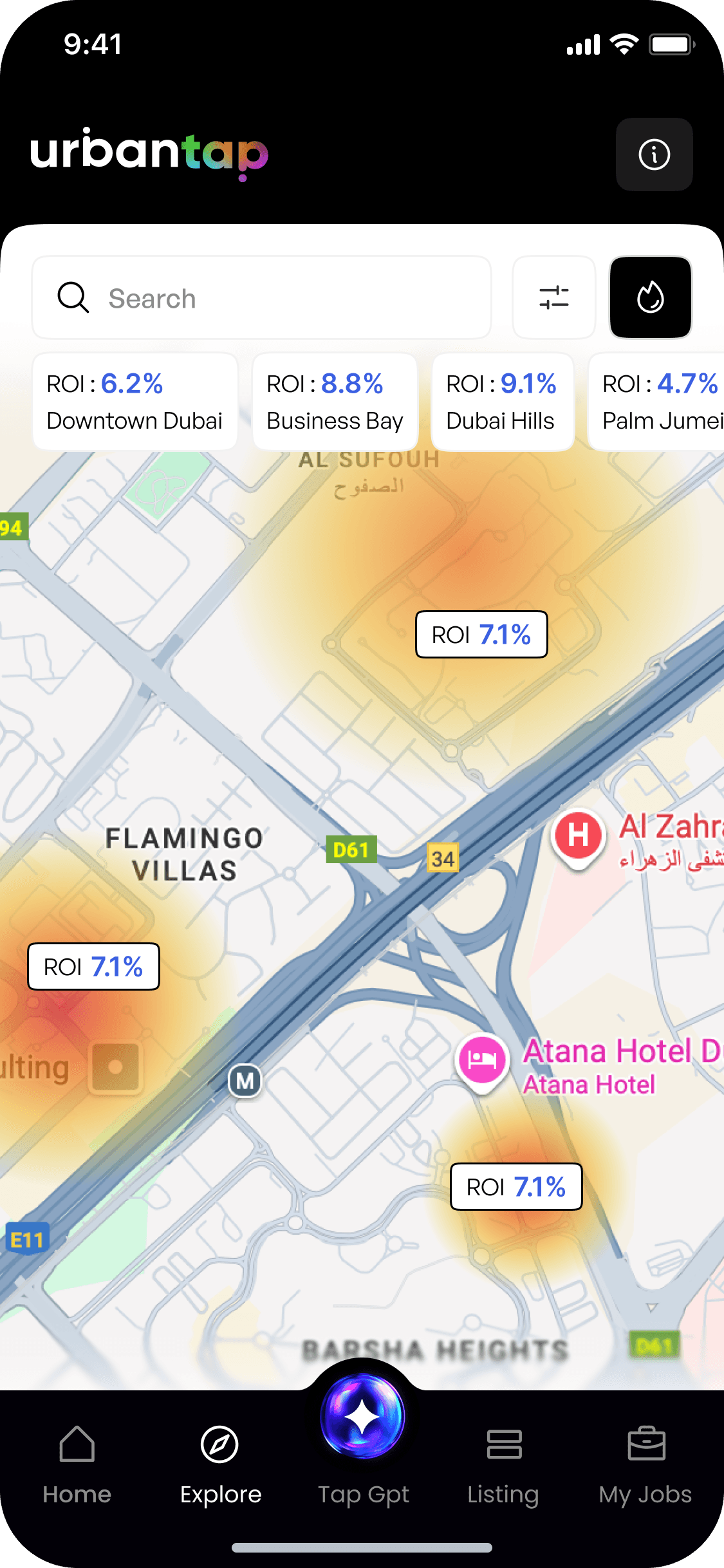
Heat Map to represent high ROI Areas which is also a locality based filter
+32%
Faster ROI Evaluation
"Brokers reported of having high confidence during client pitches."
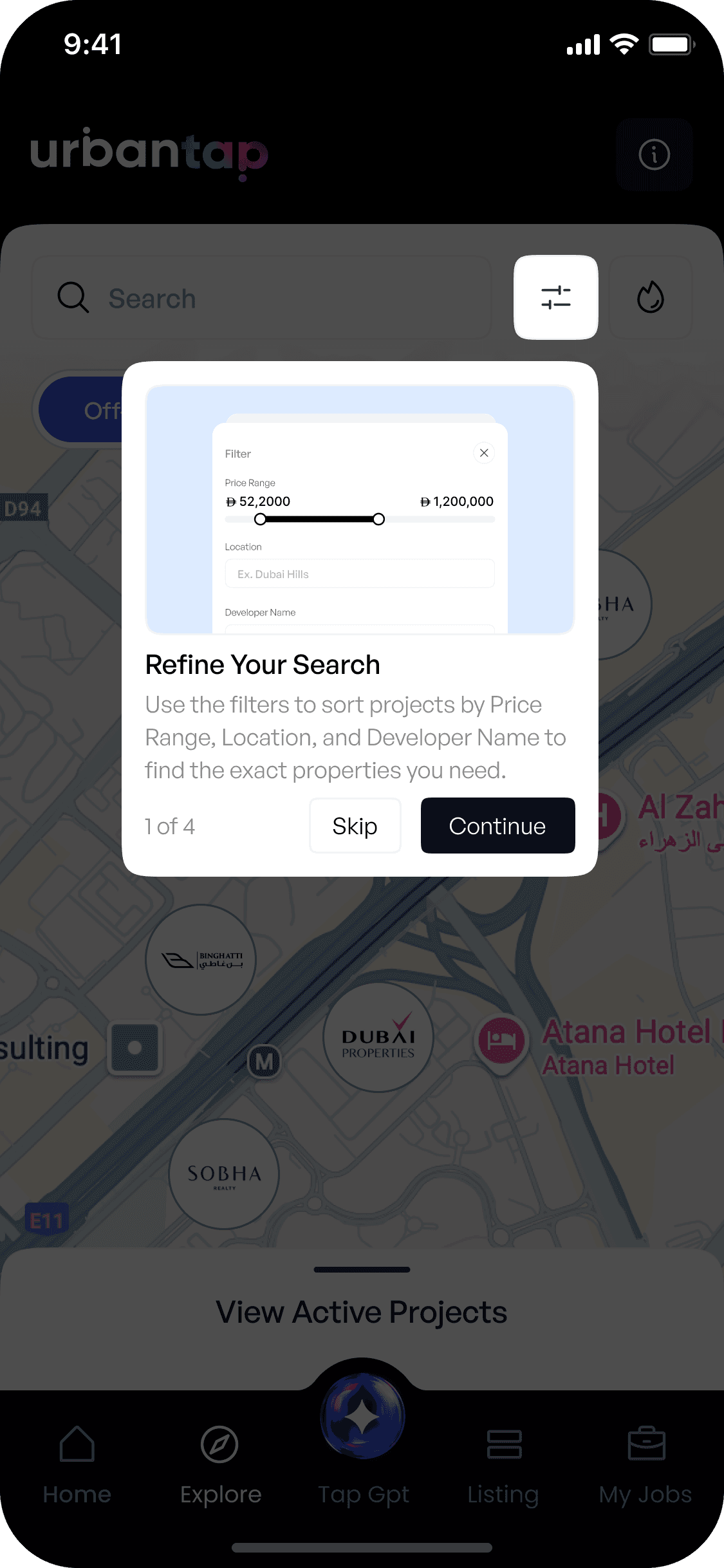
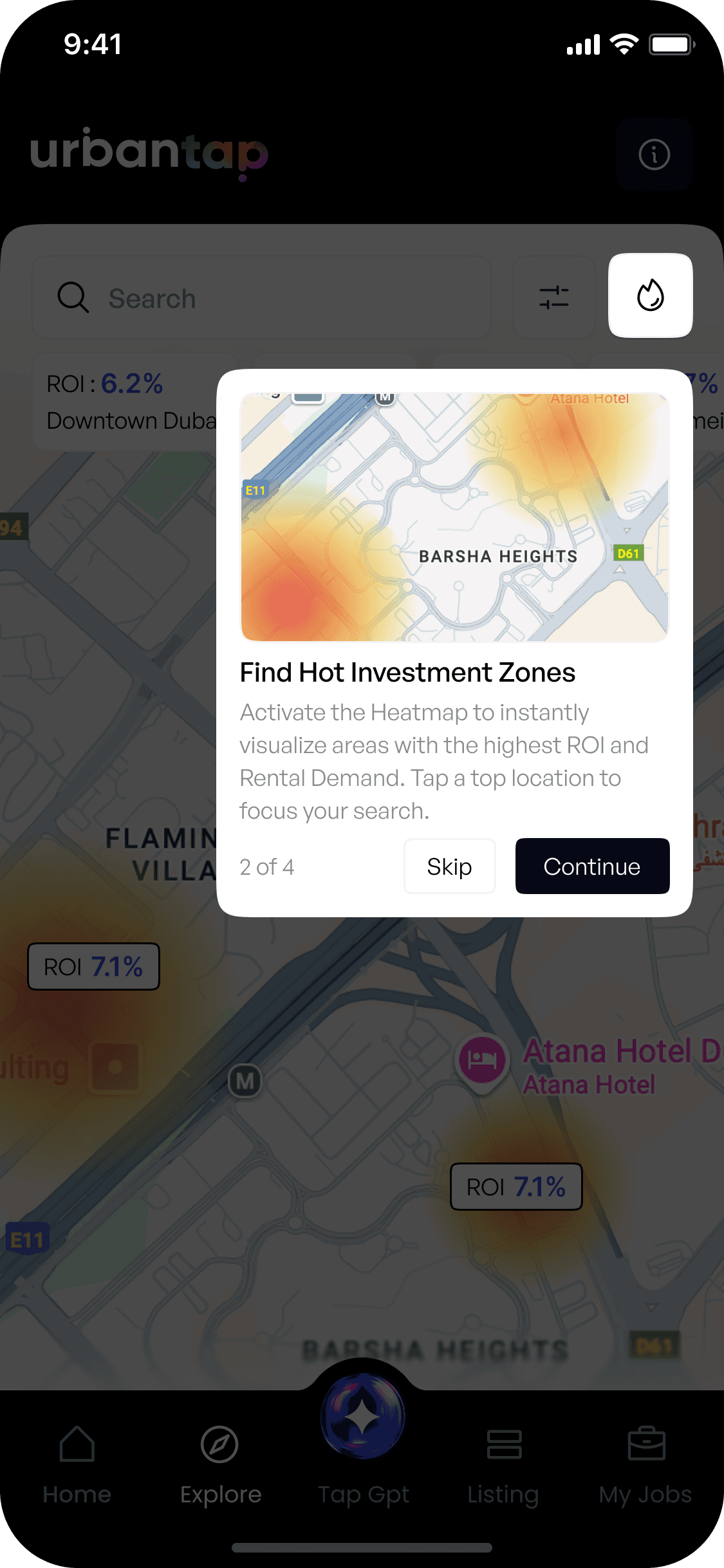
5 - Info Button & Guided Coach Marks
Problems
Map-based discovery was completely new for many brokers. Without guidance, users didn’t understand clusters, filters, or how the heat map worked—leading to confusion and hesitation.
Solutions
A guided coach-mark accessible via the info button, along with a first-time onboarding walkthrough for new users.
+32%
Faster ROI Evaluation
1.2x
Higher Confidence in Client Pitches
Final_for_sure_final_UI.fig
Map Displayed Projects
To Reduce Clutter
Content Out of View
Project Details
Active Projects
Heat Map Feature
Heatmap with Locality
Defined Filters
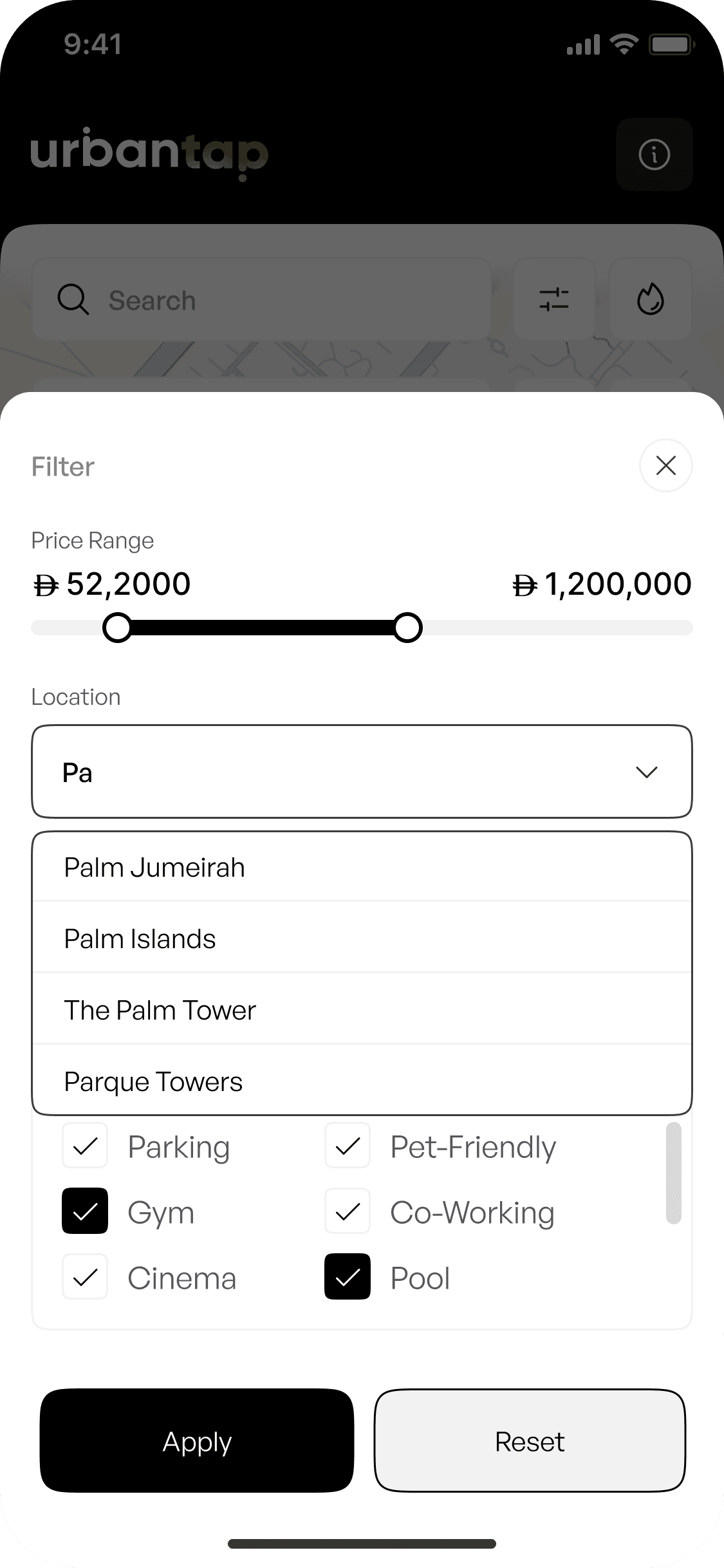
Amenities Filter

Final Reflections
🎮
Showing properties on a map helped brokers understand location and relevance instantly.
🎁
Mini cards, synced lists, and heat maps made exploration faster without extra screens.
😃
Coach marks and simple guidance made a new map feature easy for everyone to use.
DESIGNED WITH
BY SYANDAN ROY



cyanroy.designs@gmail.com