


Ruba Sales Manager App — Lead Management System
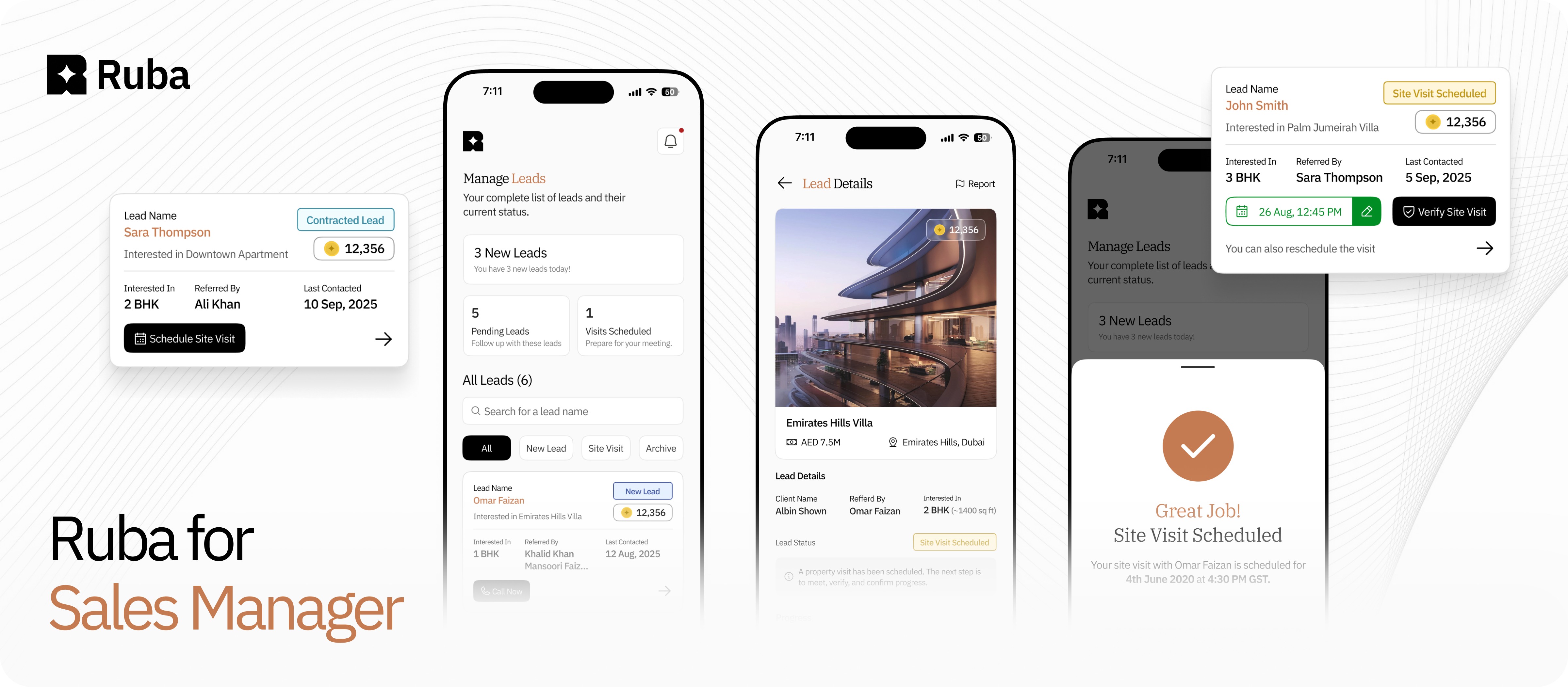
A structured workflow that helps sales managers onboard, track, verify, and convert property leads through a clear, guided pipeline.
Timeline
Sep - Nov 2025
Key Areas
UX Strategy · Research · Workflow Mapping · UI Design · Lead Management
People Involved
2 Product Designers (Me)
1 Project Manager
4 Developers
(Frontend + Backend)
Sales in the real-estate world moves fast. A single missed call, an unverified site visit, or an undocumented update can derail a million-dirham deal.
At Ruba, sales managers handled dozens of high-value leads each day but their tools weren’t built for the pace or the stakes. Everything was scattered. WhatsApp for conversations, personal notes for follow-ups, screenshots for verification, spreadsheets for statuses, and memory for “next steps.”
My goal was to transform this messy, inconsistent workflow into a guided, verifiable system that mirrors the real sales process yet makes it significantly more reliable, faster, and easier to operate under pressure.
+38%
Faster Lead Progression
+33%
Fewer missed Follow-Ups
+52%
Increase in Verified Site Visits
Hover over a chapter and give it a click — it’ll politely escort you like a very enthusiastic tour guide.
Next Case Study
Urbantap — Map-Based Property Discovery
Who are Sales Managers and what do they do?
Sales Managers at Ruba are responsible for converting high-value property leads into qualified clients. They represent established developers such as Emaar Properties and Sobha Realty, and handle referrals generated by micro-brokers.
Their role involves nurturing leads, coordinating the sales journey, and moving prospects from potential to closed deals. Once a deal is finalized, they earn a referral reward in the form of Ruba Coins, which can be redeemed as Amazon or Noon vouchers.
Current flow of Sales Managers
Step 01
Track status for all your leads.
Track the status of all your leads. They’re organised into categories, and you can
update their status anytime.

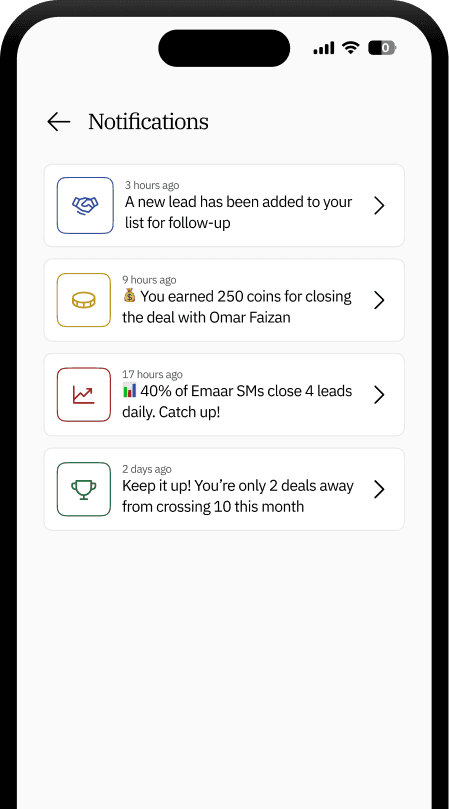
Step 02
Get Timely notifications.
Stay updated with instant notifications
on leads, payments, and more, so
you never miss a step.
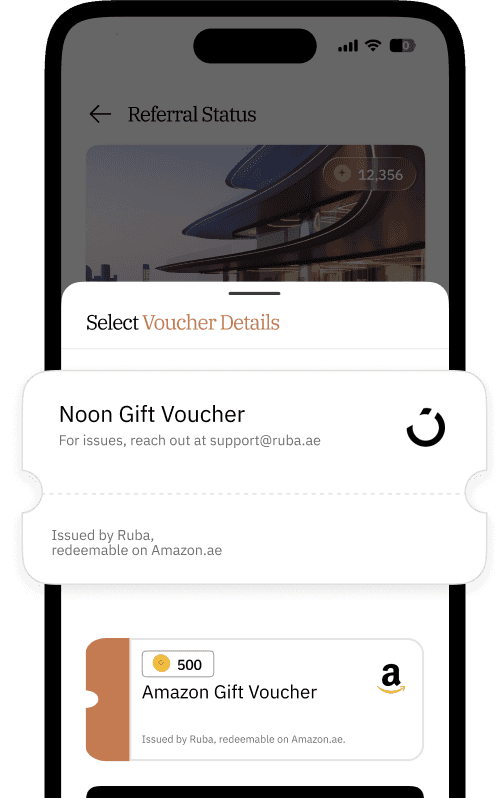
Step 03
Redeem your Coins in form of Vouchers
Redeem your Ruba Coins for Amazon
& Noon vouchers and track the
progress as well.
Background – Understanding the Issues Faced
Who are the Users?
Sales managers handling multiple leads every day. They need speed, structure, and clarity.
The Problem
😢
Information lived across multiple apps and manual notes.
😢
Managers struggled with actions expected at each stage.
😢
Scheduling and authenticating visits was inconsistent.
This leads to
Inconsistent follow-ups, missed opportunities, Site Visits lacked authenticity and a chaotic sales pipeline.
We wanted to change that - to make a unified centralised Lead Management System.
🎯 Objectives
The goal was to build a mobile lead management system that supports:
Managing a centralised lead system with clear status tracking.
Contacting leads and updating their progress with minimal manual effort.
Scheduling and verifying site visits through a structured workflow.
Providing sales managers with a clear, organised pipeline of all active leads.
Process
01
Workflow Mapping
Documented the full end-to-end pipeline from first contact to deal closure.
02
User Interviews
Sales managers shared pain points around time, documentation, and decision friction.
03
UX Flow Design
Translated the real sales journey into a six-stage structured funnel.
04
Wire framing & Prototyping
Tested how managers understood the next-step CTAs, calendar flows, OTP verification, and document uploads.
05
Usability Testing
Ensured speed, clarity, and ease under real working conditions.
06
Iterative Improvements
Simplified interface behaviours based on patterns observed during testing.
1 – Unified Lead Overview
Problems
Managers had no single view of all leads, their statuses, and what actions were needed.
Solutions
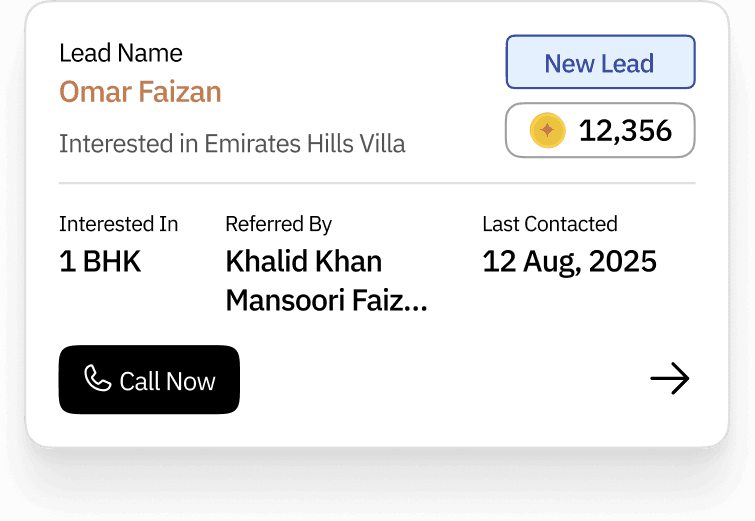
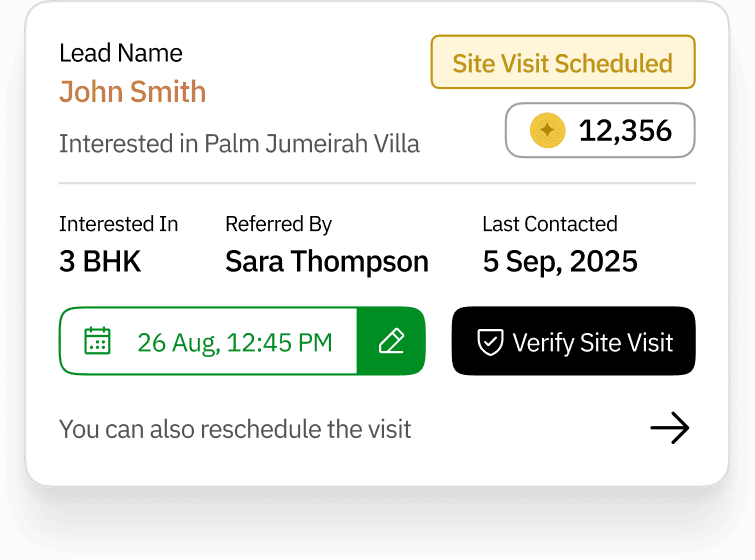
Lead Card: The Sales Manager’s Daily Survival Kit
Because every lead deserves love… and every sales manager deserves clarity.
The “Who Wants What?” Section
This is where the lead introduces themselves. The name and property preference.
Where Are We At?” + “Why Should I Care?”
The lead’s current status sits neatly inside a tag and the number of coins the sales manager can earn.
Think of it as UX-powered dopamine that whispers: “Call John. He’s worth 12,356 coins.”
Lead Name
John Smith
Interested in Palm Jumeirah Villa
Site Visit Scheduled
12,356
Interested In
3 BHK
Referred By
Sara Thompson
Last Contacted
5 Sep, 2025
26 Aug, 12:45 PM
Verify Site Visit
You can also reschedule the visit
When Are We Meeting?” — The Site Visit Scheduler
Shows the exact date and time of the upcoming site visit.
Can also be rescheduled because let’s be honest — plans change, traffic exists, and leads sometimes forget they agreed.
Proceed When Ready
One clean CTA to push the lead forward. Whether it’s verifying a site visit or marking progress, this button is the gateway to productivity — and hopefully, payday.
“A consolidated list with clear status badges and priority blocks.”

+42%
Faster Lead Identification
2x
Increase in Daily Lead Touch Points
2 - Automated Status Transitions
Problems
Status updates were manual and frequently overlooked, forcing Sales Managers to rely on spreadsheets to track their leads.
Solutions
Each action automatically moves the lead to the correct stage.
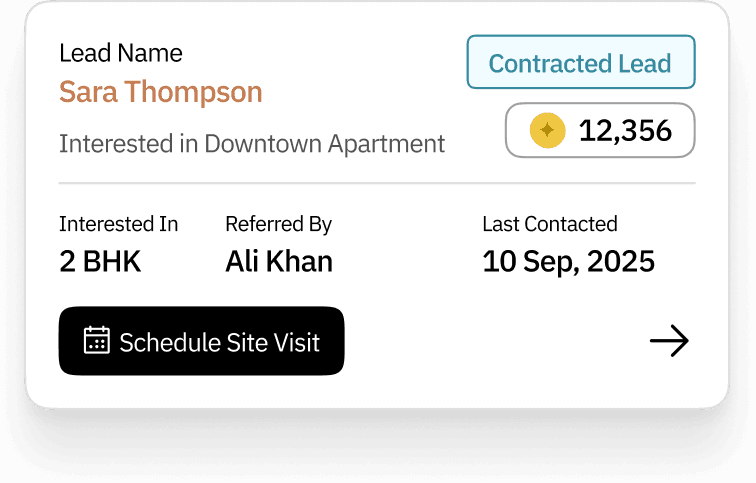
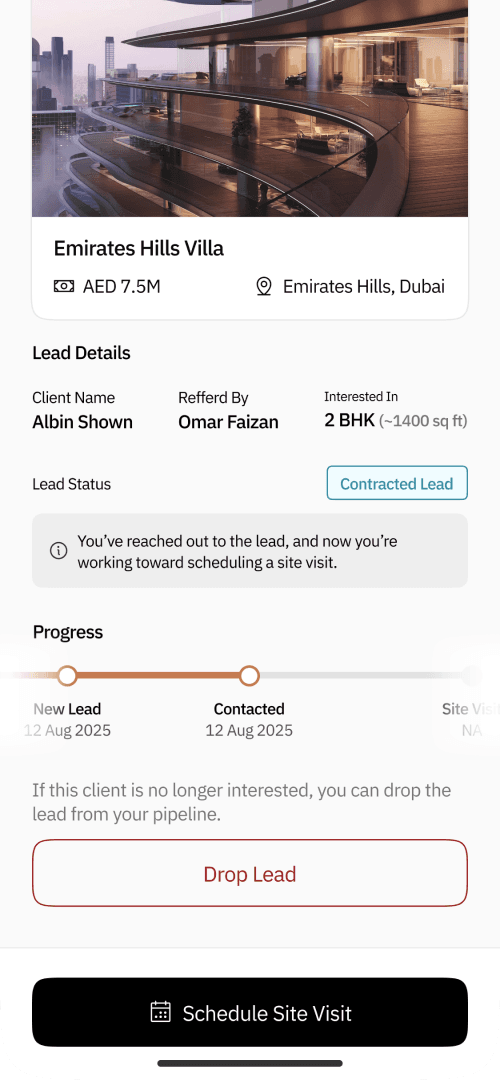
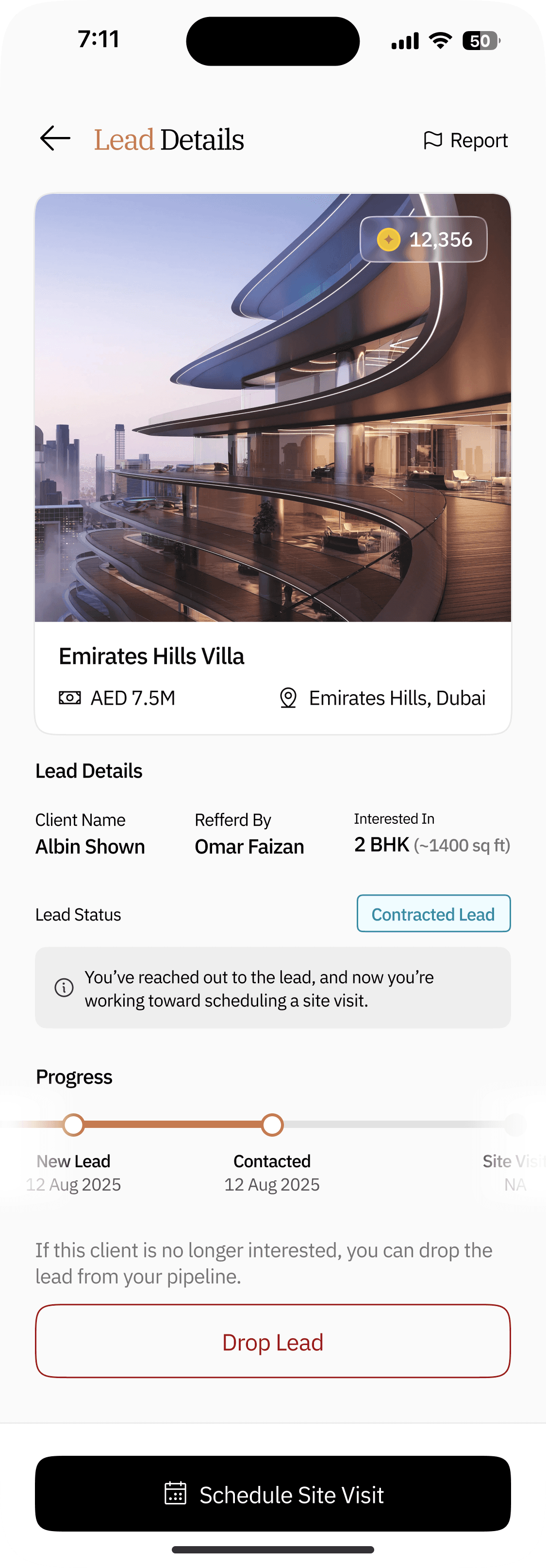
Calling the client updates status → Contacted
No need to manually update the status of the card from “New Lead” to “Contracted Lead”
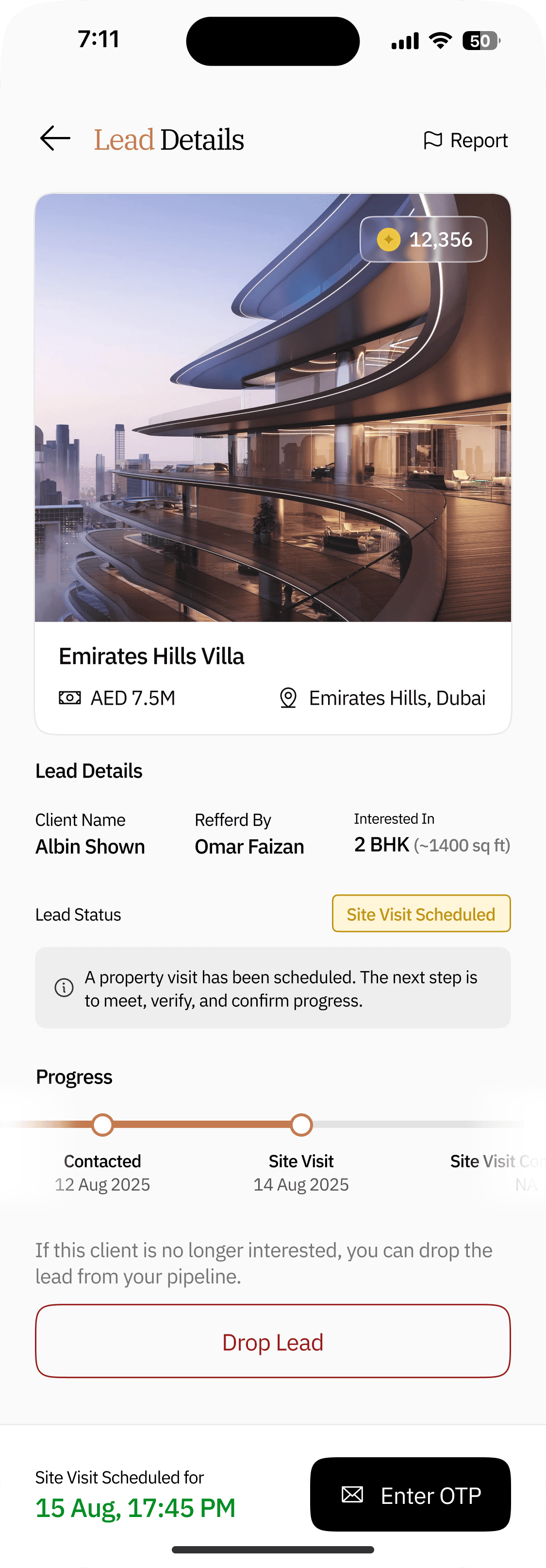
Scheduling a visit updates status → Site Visit Scheduled
The Sales Manager schedules a site visit based on the lead’s availability, and the card’s status updates automatically in real time.
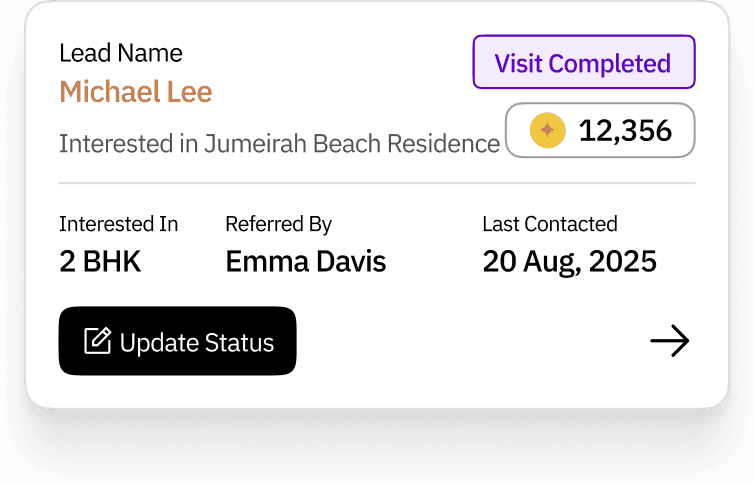
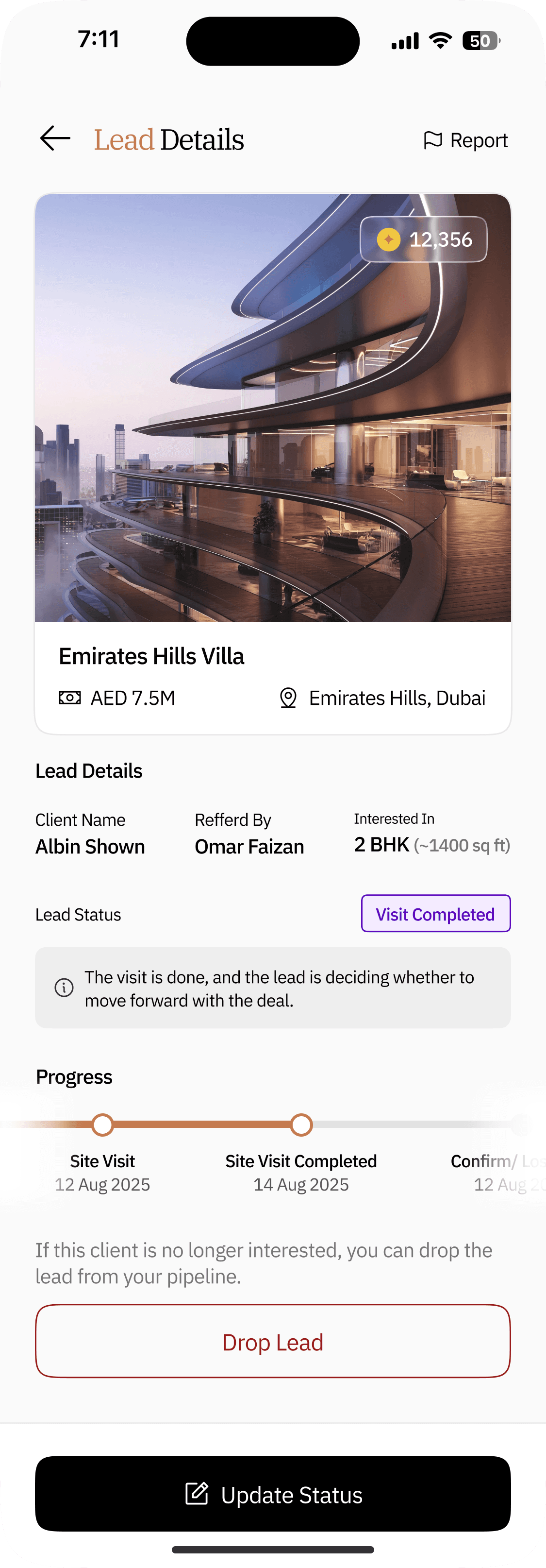
OTP verification updates status → Visit Completed
Once the site visit document is uploaded and the OTP is verified, the status automatically updates from “Site Visit Scheduled” to “Visit Completed.”
+34%
Faster Stage Completion
3x
Improvement in Data Consistency
3 – Integrated Site Visit Scheduling Flow
Problems
Coordination lacked clarity, as managers had no reliable way to confirm whether a site visit was truly scheduled. They were forced to maintain separate notes to track visit dates and timings, leading to scattered information and frequent misalignment in follow-ups.
Solutions
A built-in date and time selector with auto-confirmation.
Step 01
Click on “CTA”
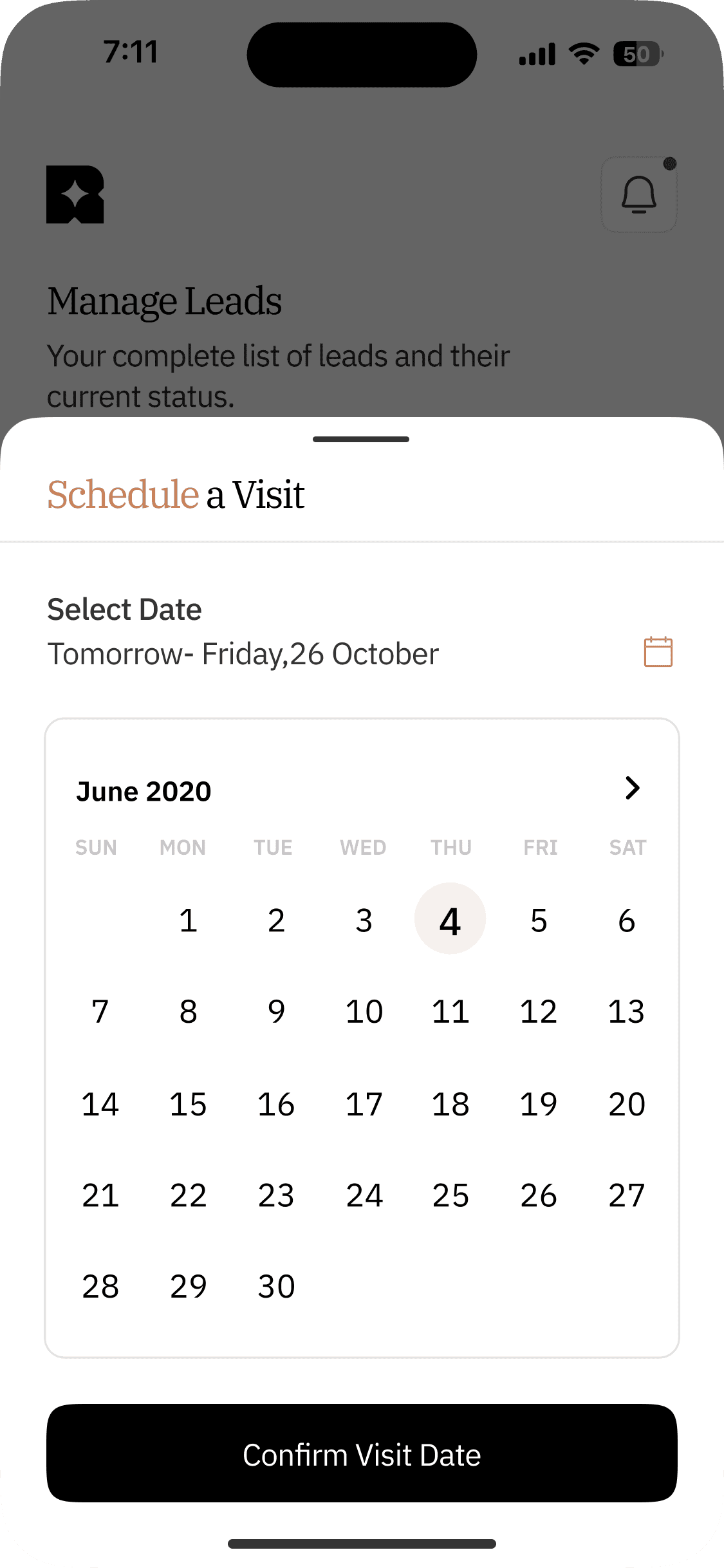
Step 02
Choose a Date
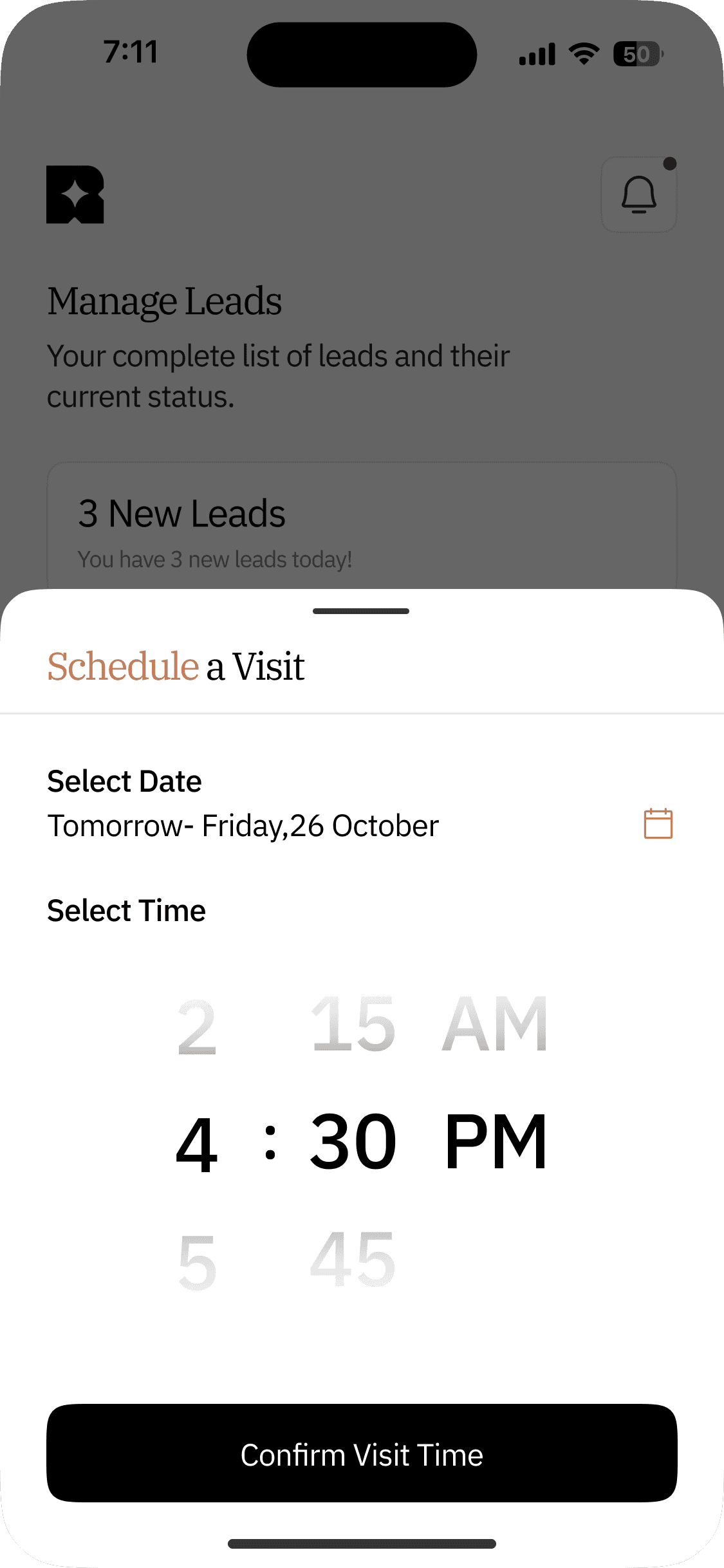
Step 03
Choose a Time
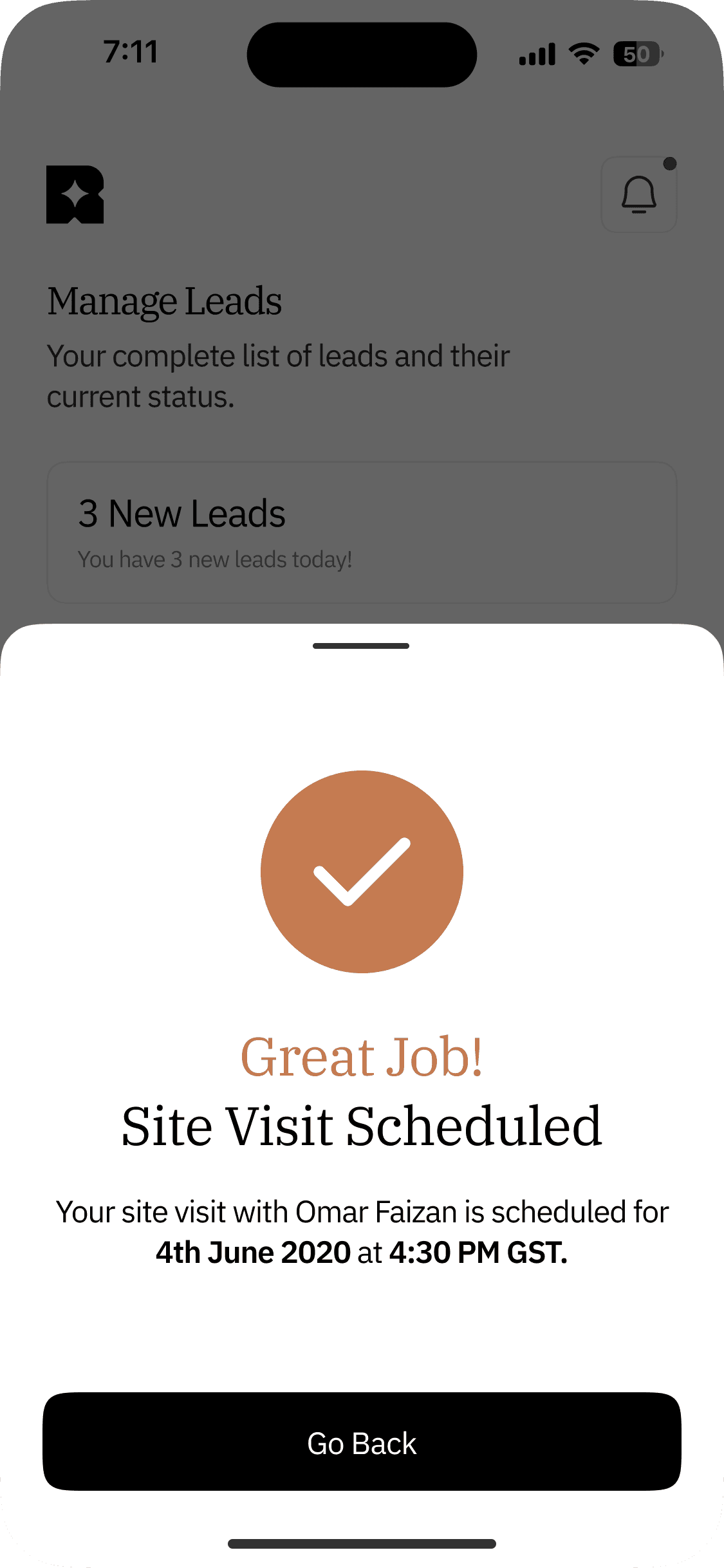
Step 04
Site Visit Confirmed
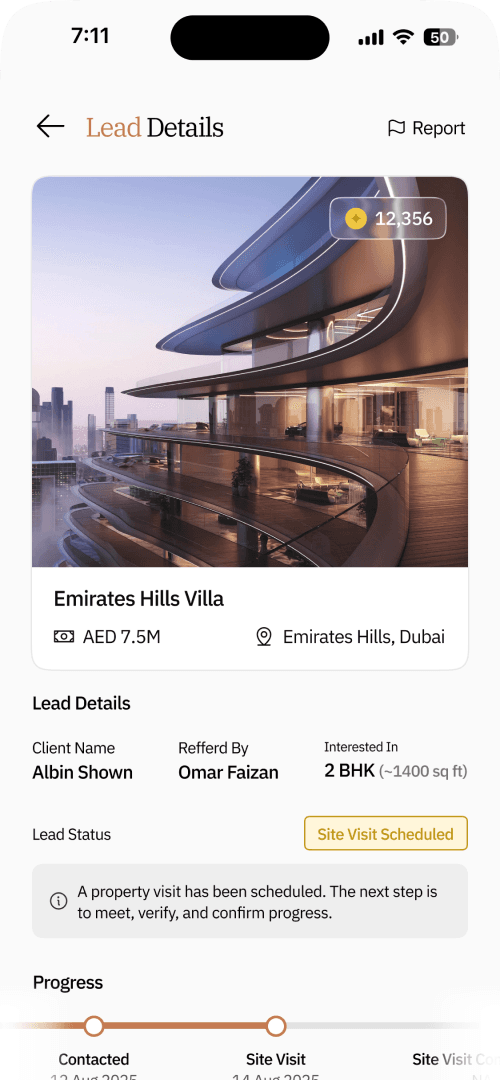
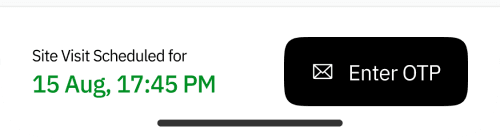
Step 05
Lead Status Updates
-44%
Reduction in Fraudulent / Unverified Visits
+34%
Faster Visit Completion Rates
4 - Guided Decision Flow (Deal Closed or Lost Lead)
Problems
Final decisions were unclear and lacked structured documentation.
Solutions
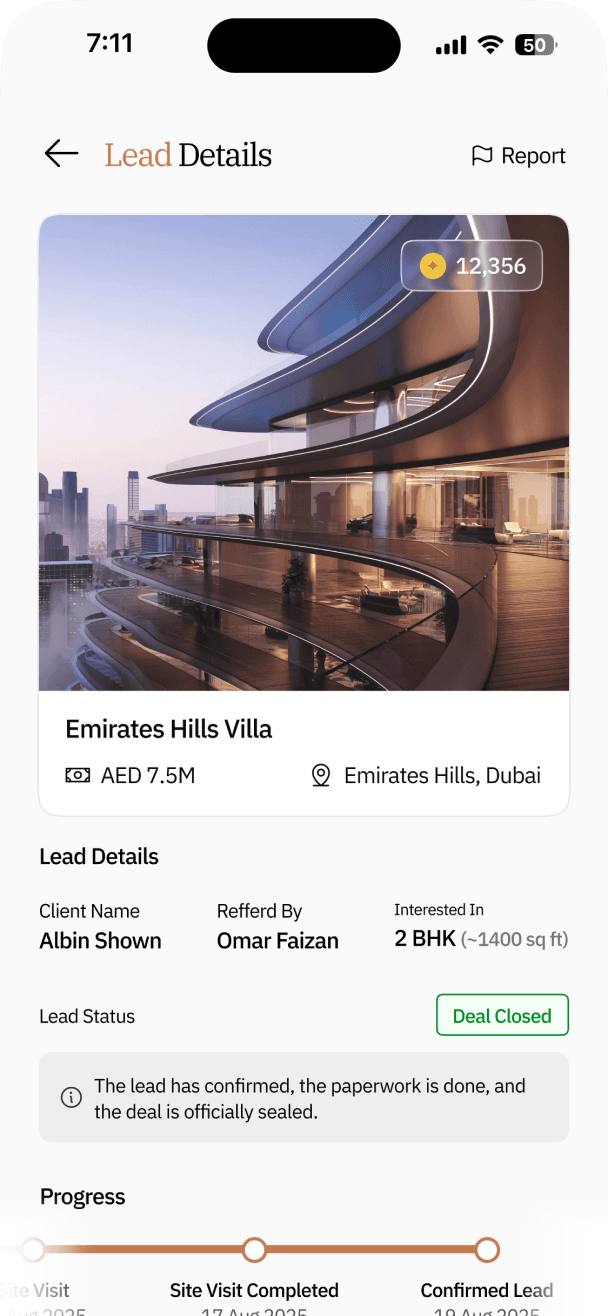
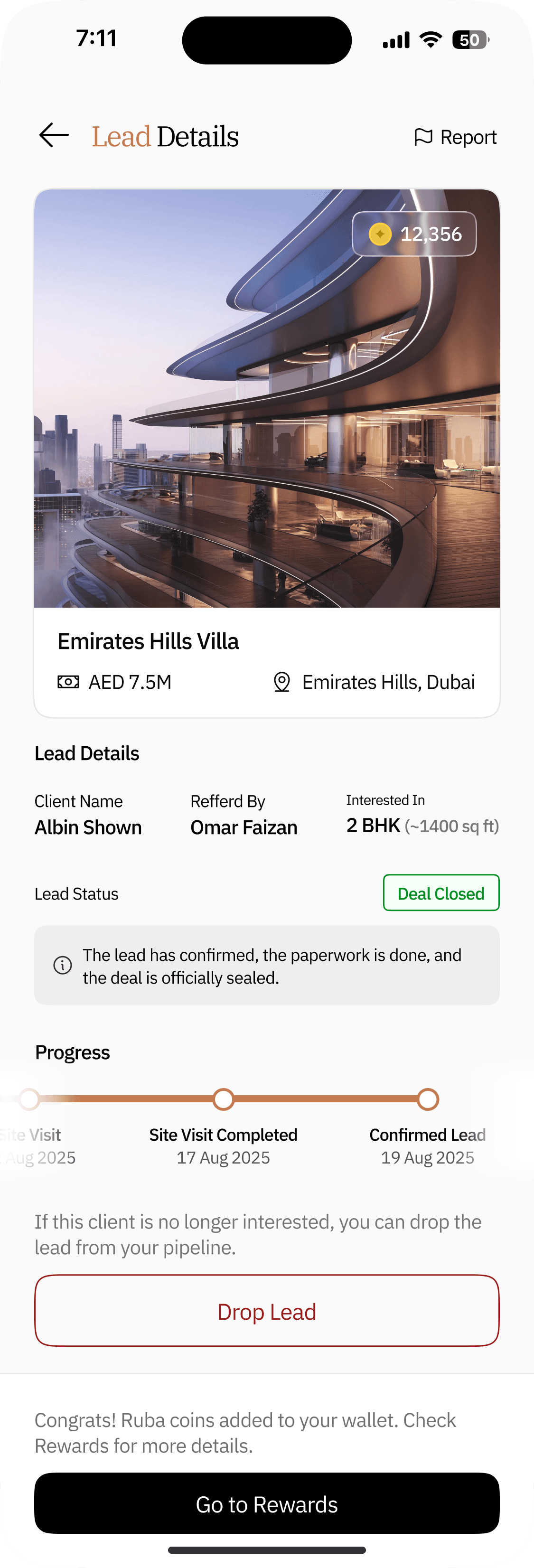
Flow for Closing a Deal
Select “Confirm Lead”
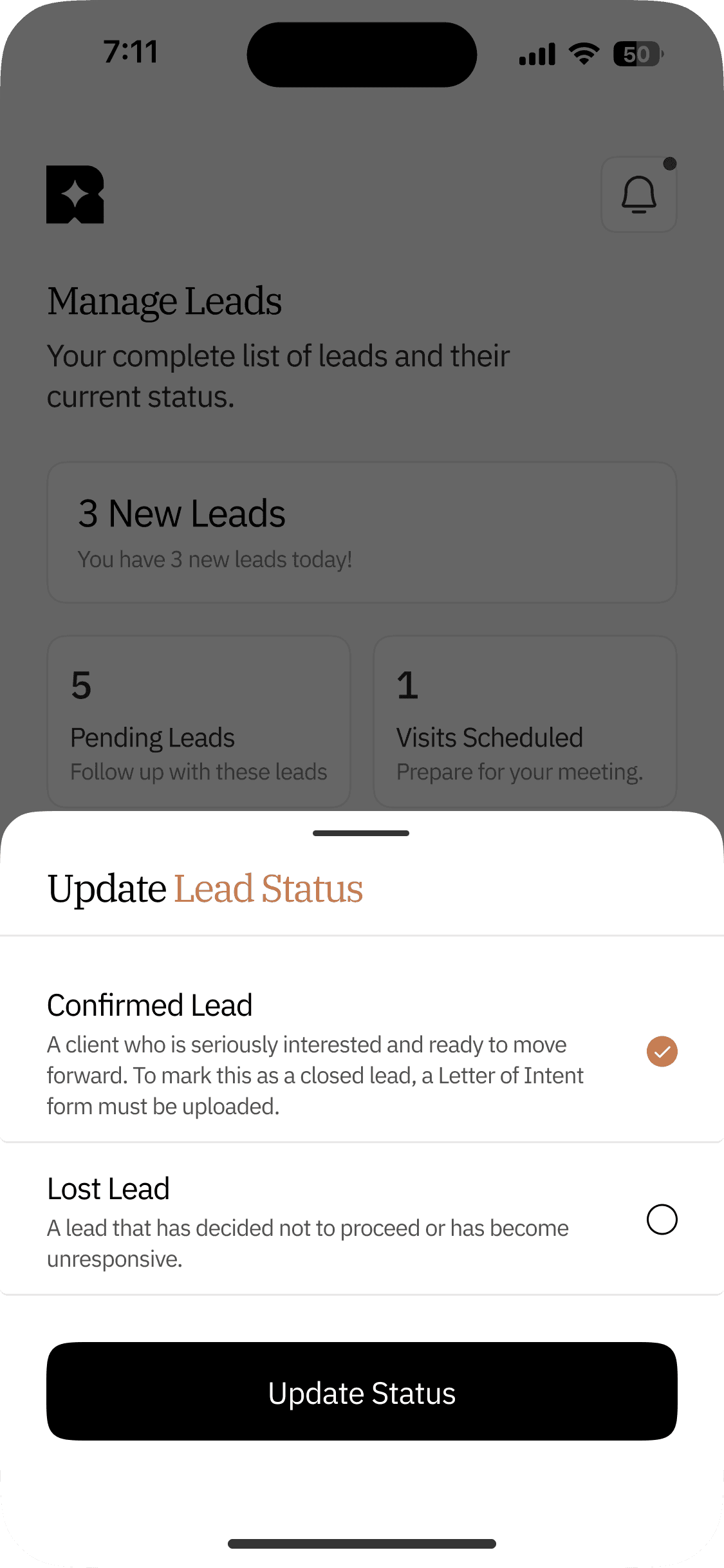
Update Status


Clear status updates that maintain full transparency throughout the process and clarify all terms involved.
Upload “Letter of Intent Form”
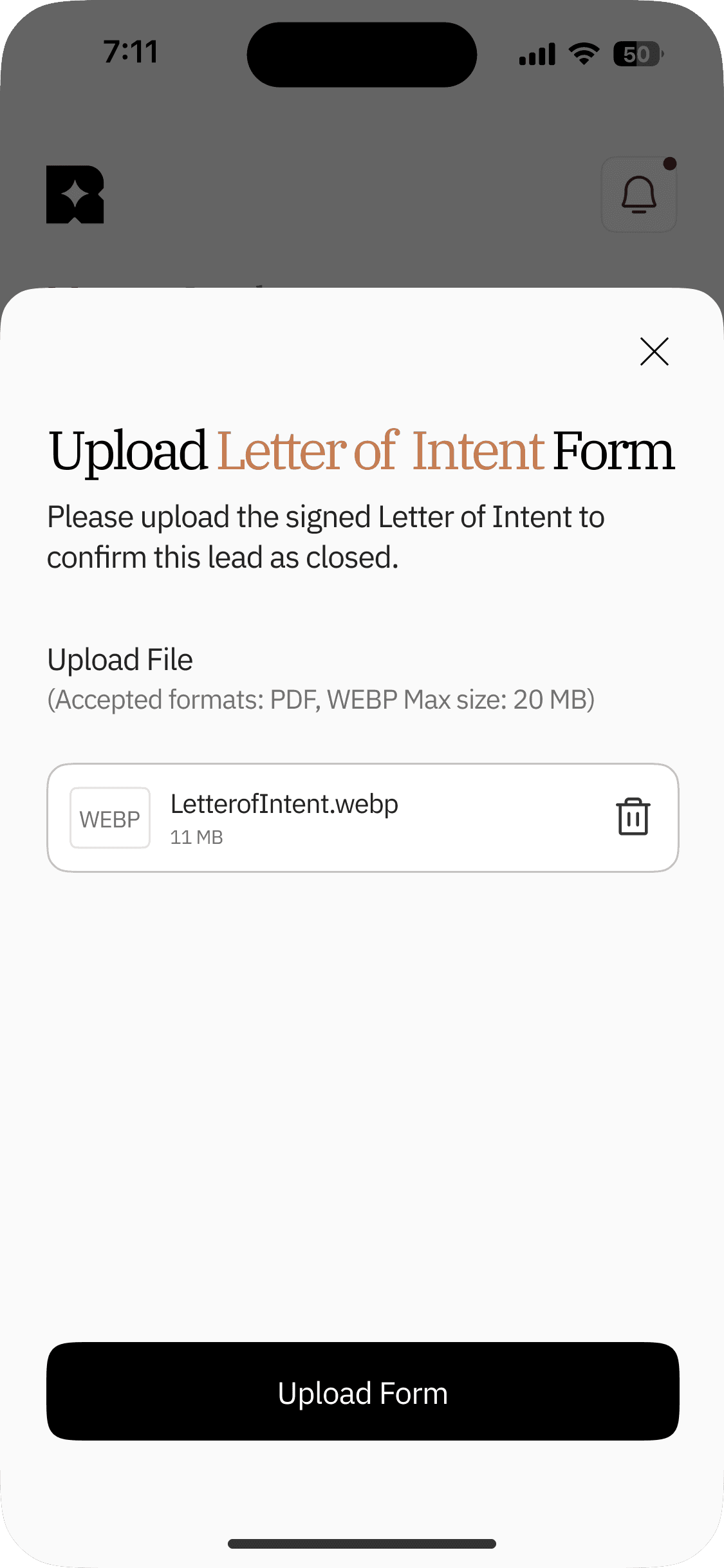
Lead Status Updates
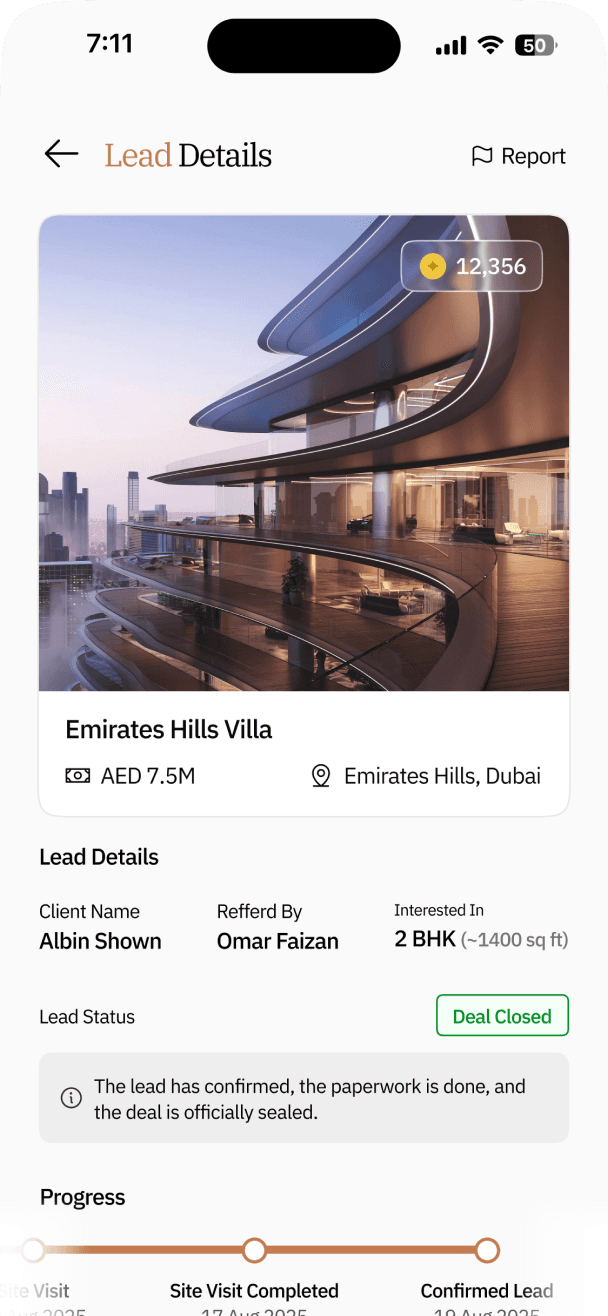
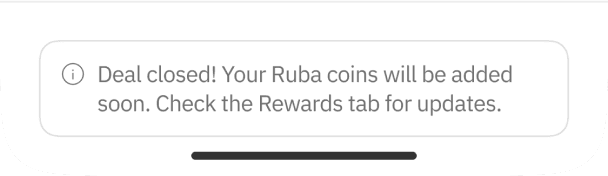
Rewards Indication
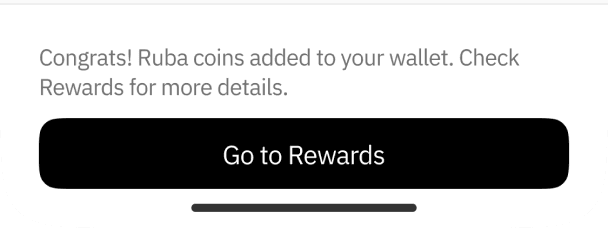
A prompt to view the coins earned from confirming the deal.
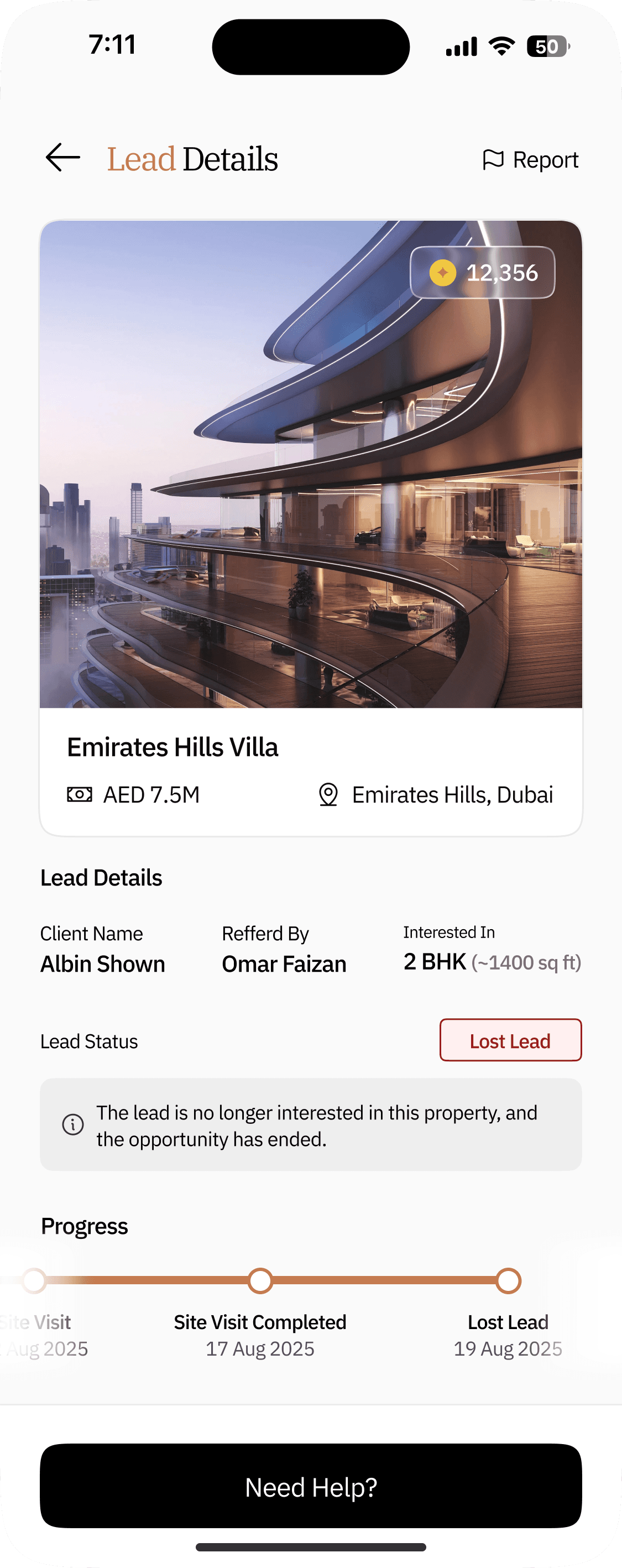
Flow for a Lost Deal
Update Status
Select “Confirm Lead”
Lead Status Updates
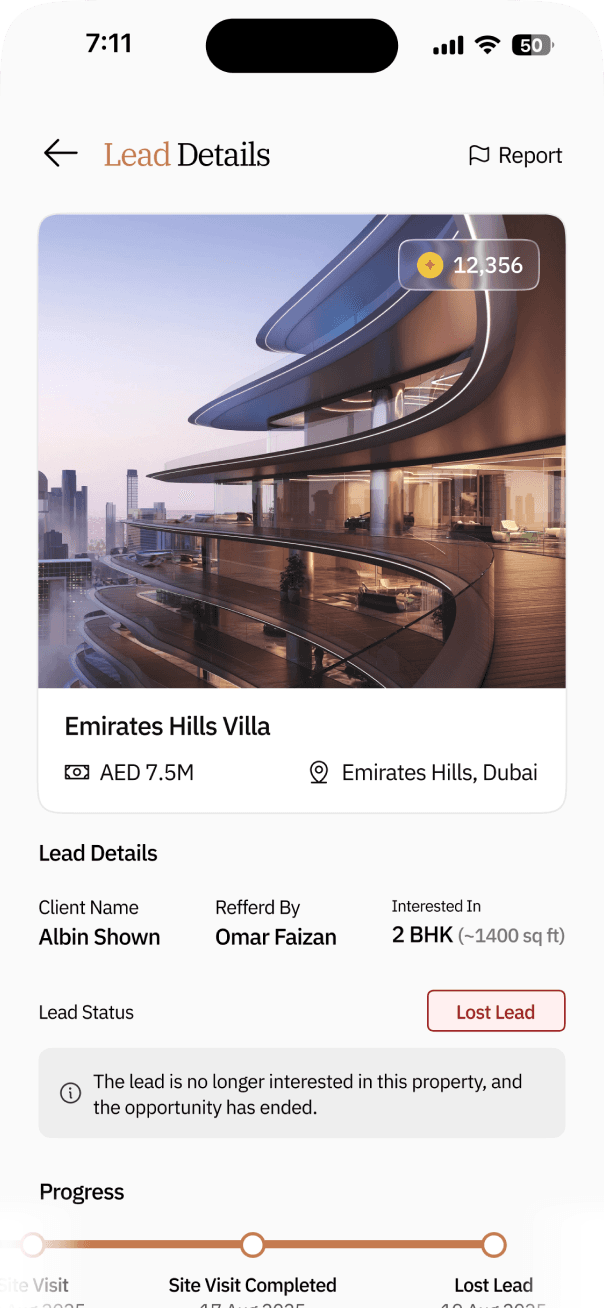

Revert Back Option
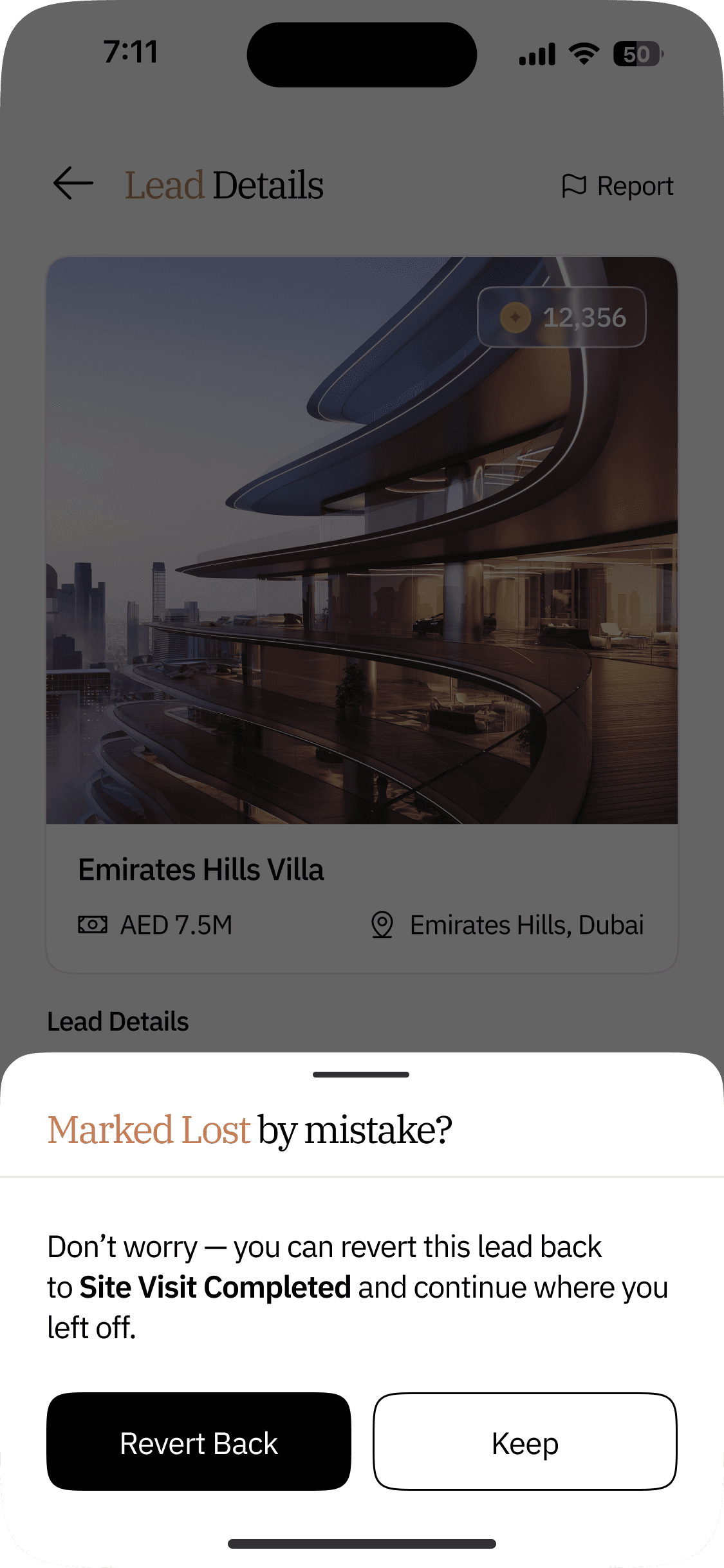
Allows the Sales Manager to revert a mistakenly marked “Lost Lead” back to its previous status.
+52%
Increase in Verified Site Visits
+22%
More Lead Progression to Visit Stage
Final_for_sure_final_UI.fig
Contracted Lead
Visit Scheduled
Visit Completed
Deal Closed
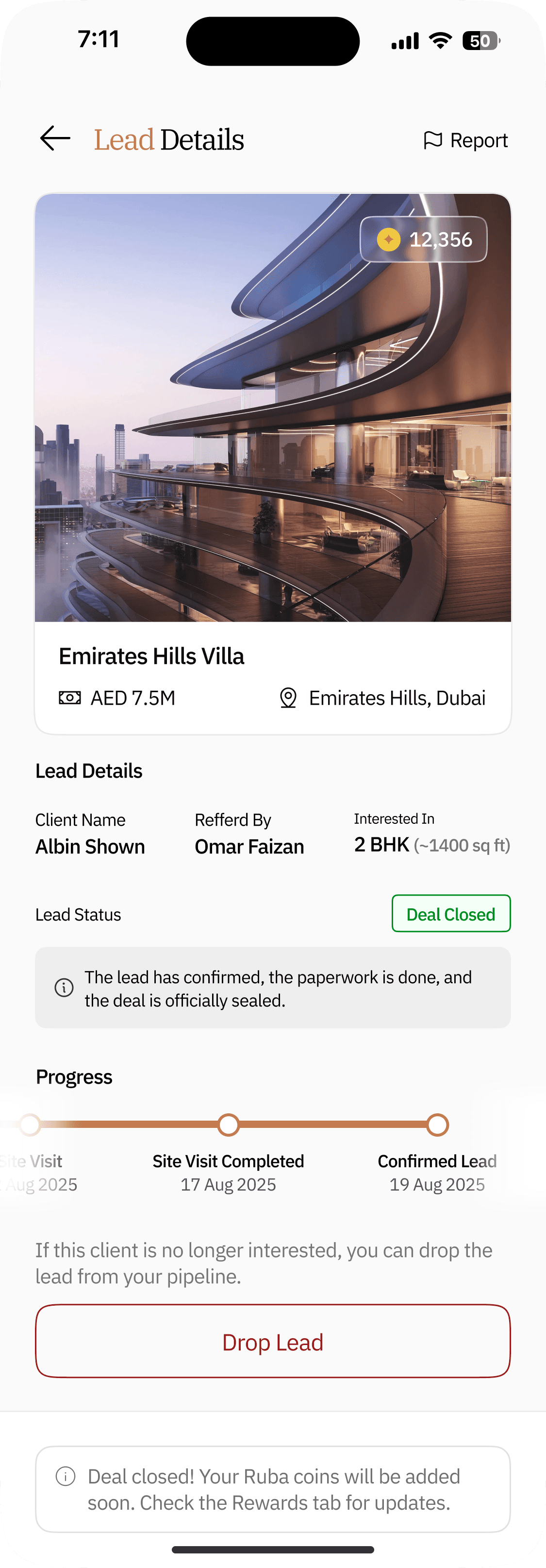
"Get Coins" Indication
Lost Lead
Lead Update Bottom Sheet
"Letter of Intent" Form
"Need Help" Bottom Sheet
Final Reflections
🎮
This Lead Management System brought structure to a previously fragmented flow.
🎁
By breaking the sales process into clear, verified stages, the app enabled managers to work faster, more confidently, and with fewer errors.
😃
It replaced chaos with clarity and turned the sales pipeline into a predictable, guided journey.
DESIGNED WITH
BY SYANDAN ROY



cyanroy.designs@gmail.com